TL;DR
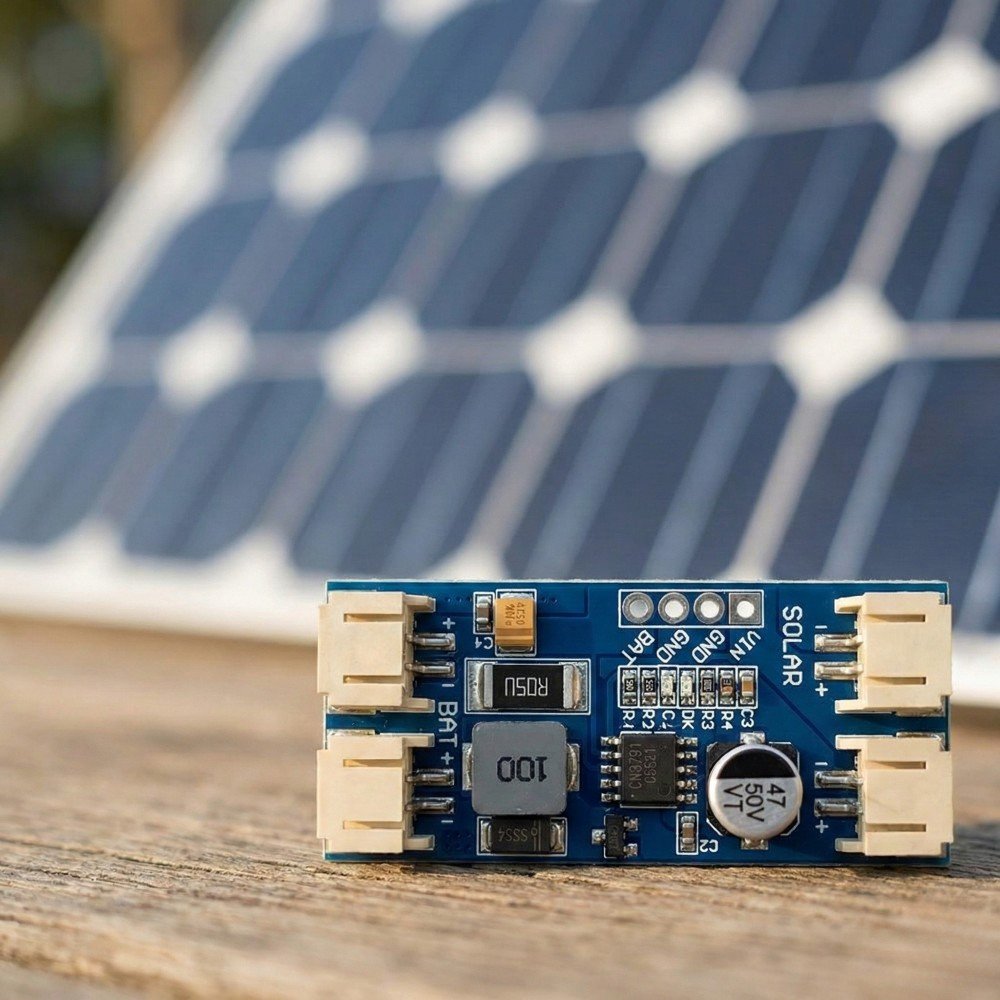
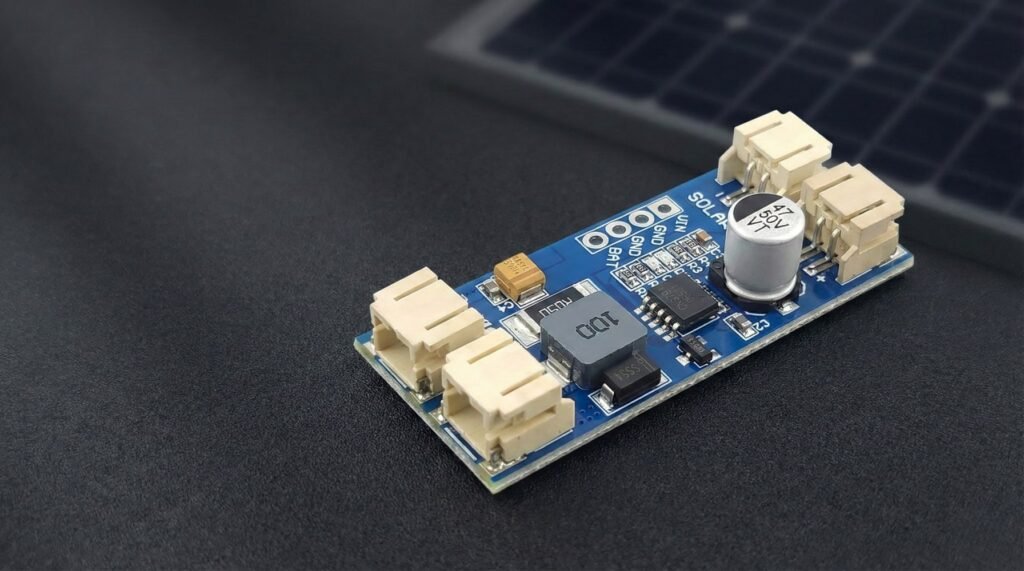
- A CN3791 board is a switch-mode (buck) solar charger for one 3.7V Li-ion/LiPo cell (4.2V full).
- “MPPT” on these boards usually means holding the panel near a set voltage using a resistor divider. It is not the same as a big solar controller.
- Boards vary a lot by vendor. Input range, max charge current, MPPT setpoint, LED behaviour, and protections can all differ.
- Most cheap modules do not include proper load sharing (power-path). That matters if you run your device while charging.
- Assume you still need battery protection / low-voltage cut-off somewhere in the system.
CN3791 specifications at a glance
The CN3791 is a buck-mode charger for a single-cell Li-ion or LiPo battery. The IC uses constant-voltage MPPT for solar input and regulates a standard 1S lithium battery to 4.2V.
| Operating input voltage | 4.5V to 28V |
| Absolute maximum VCC | 30V. This is a stress limit, not a normal operating target. |
| Battery type | 1S Li-ion / LiPo |
| Regulation voltage | 4.2V ±1% |
| Maximum IC charge current | Up to 4A, subject to the external components and board design |
| Switching frequency | 300kHz typical |
| MPPT reference | 1.205V typical |
| Charge termination | 16% of the programmed full-scale charge current |
| Automatic recharge | Starts again when battery voltage falls to 95.5% of the regulation voltage |
Those are IC-level limits. A complete module can have lower practical current or voltage limits because the MOSFET, Schottky diode, inductor, sense resistor, PCB layout and cooling all matter.
Use it when
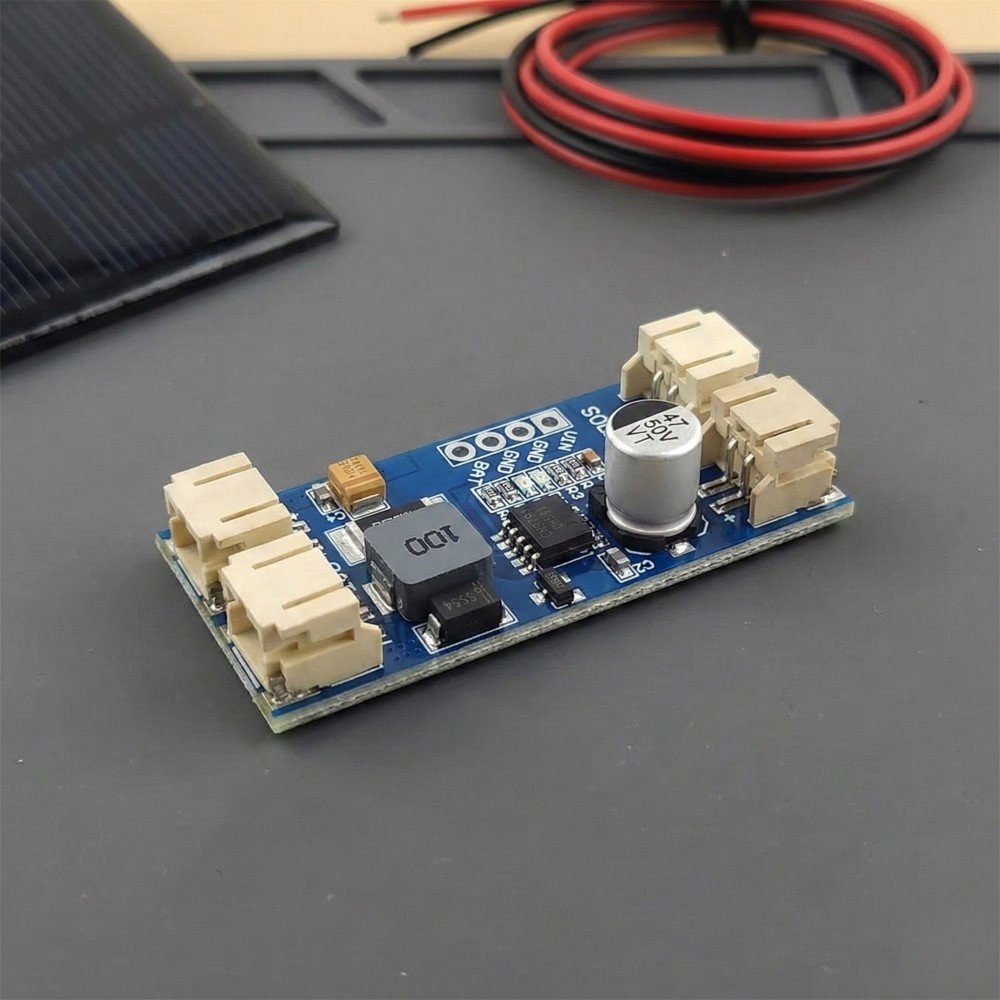
- You want a simple way to charge one 3.7V cell from a small panel.
- Efficiency matters (you do not want to burn heaps of power as heat like a basic linear charger).
- Your project can tolerate that the “MPPT” behaviour is usually a fixed setpoint, not a fully dynamic tracker.
If you’re building a small 1S lithium project, this is the CN3791 board I’d suggest starting with.
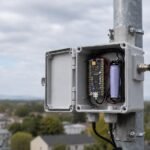
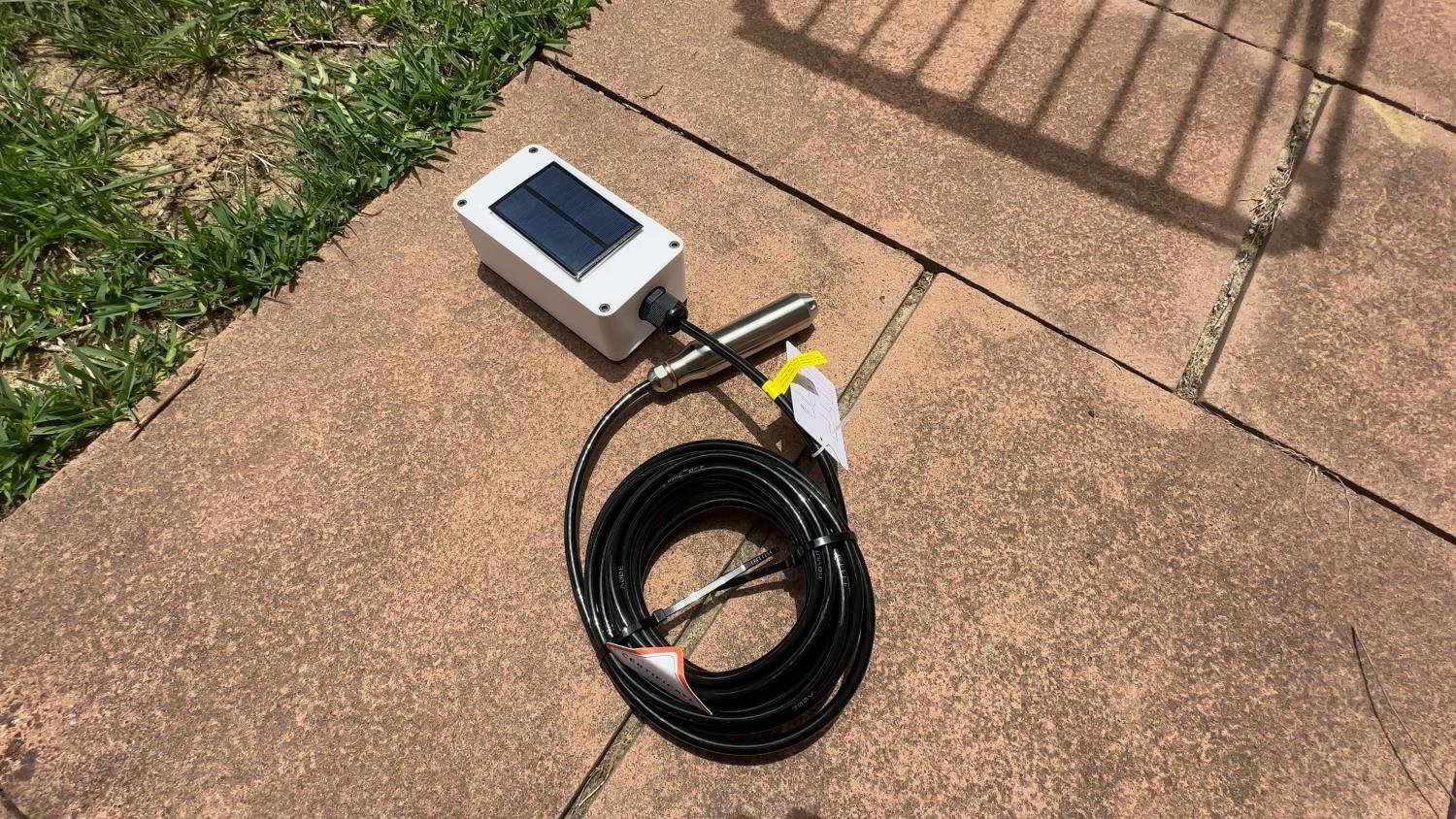
I also use a CN3791 in my solar water-tank level sensor, where it charges a single-cell lithium battery from a small solar panel.
CN3791
A low-cost solar lithium battery charger module that works well for small DIY battery projects when paired with the right solar panel and protection circuit.
Avoid it when
- You need to charge anything other than 1S lithium (no LiFePO4, no 2S packs).
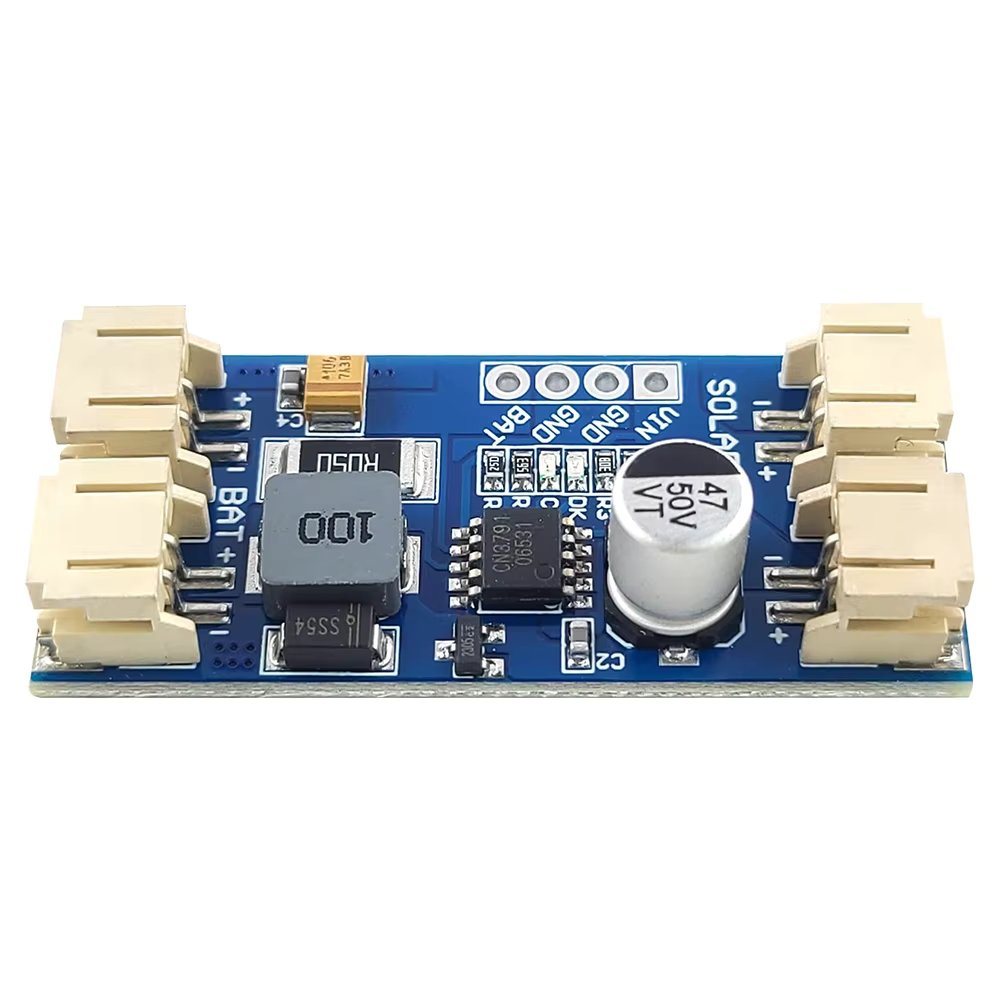
- Your load is always-on and critical, and you need a stable “system output” while charging. Many CN3791 boards are chargers only.
- You need strong, guaranteed protections built in (reverse polarity, short circuit, battery undervoltage cut-off). Many modules do not provide all of these.
Safety disclaimer
Lithium batteries can be dangerous if shorted, overcharged, physically damaged, or used without proper protection. Double-check polarity and wiring, and use a protected cell or proper battery-protection circuit. For permanent installations, fit a fuse sized for the wiring and expected load close to the battery where practical. Do your first tests somewhere safe. Use the CN3791 datasheet for the charger IC’s behaviour, then check the actual module’s polarity, resistor values and component ratings before connecting it.
What does MPPT mean?
Solar panels do not behave like a normal power supply.
A panel has an open-circuit voltage (Voc) when nothing is connected, but when you draw current the voltage drops. The panel makes the most power at a particular operating point called the maximum power point. That point shifts with sunlight and temperature, but it is usually “around” a target voltage.
CN3791 uses constant-voltage MPPT. The MPPT pin is regulated to 1.205V, and an external resistor divider sets the panel voltage the charger tries to hold:
VMPPT = 1.205 × (1 + R3 / R4)
- If the panel voltage starts to collapse below the setpoint, the charger reduces how much current it draws.
- If the panel has enough headroom, the charger can increase charge current up to the programmed limit.
- The common 6V, 9V, 12V and similar module labels usually reflect different MPPT divider values or intended panel ranges. They do not change the 4.2V charge target for a standard 1S lithium battery.
The full-scale charge current is also set externally. CN3791 regulates about 120mV across the current-sense resistor, so ICH = 120mV / RCS. That is why two boards using the same CN3791 IC can be configured for different charge currents.
This is different to a basic USB LiPo charger (common TP4056 boards):
- Many basic chargers are linear and waste extra voltage as heat.
- They usually do not try to hold a panel at a sensible operating voltage.
- They can behave badly on solar because they pull current until the panel sags, then everything chatters.
CN3791 is a switch-mode buck charger, so it can convert excess input voltage into charging current more efficiently, and it can be friendlier to a panel.
Wiring
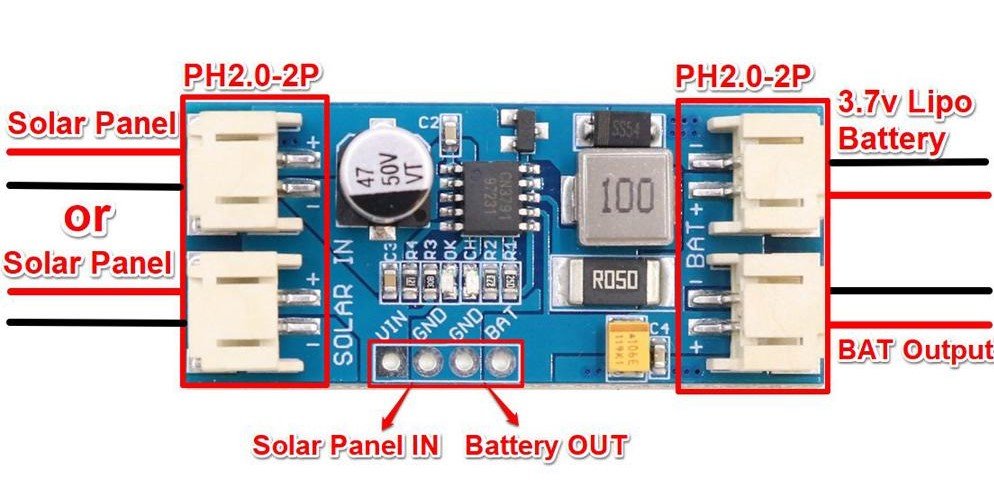
Most CN3791 modules you buy online expose two main connections:
- Solar input: usually marked VIN+/VIN-, or SOL+/SOL-
- Battery: usually marked BAT+/BAT-, or B+/B-
Typical wiring
- Solar panel positive → VIN+
- Solar panel negative → VIN-
- Battery positive → BAT+
- Battery negative → BAT-
That is the charger portion.
Where does the load go?
This depends on the board design.
The CN3791 itself does not provide a separate power-path controller, and many simple CN3791 modules do not add one. In that case:
- There is no separate “load output”.
- Your device is usually connected to the battery (often through a regulator).
Why that matters
- The charger may not terminate correctly if your device is drawing current while charging.
- Your load current is mixed with charge current, so what the charger “sees” is not clean.
- At night your device runs only on the battery, so you need to plan for brownouts.
What to check on your specific module
Because vendors change layouts and features, treat these as a checklist:
- Are there pads labelled OUT, LOAD, SYS, 5V, or similar?
- Does the listing explicitly say power-path or load sharing?
- Are there extra MOSFETs and a separate output stage, or is it just charger parts?
If you cannot confirm power-path exists, assume it does not.
Choosing a Solar Panel
Panel selection is where most solar node builds succeed or fail. If you are still working out what wattage and battery capacity you need, start with my ESP32 solar panel and battery calculator before choosing the hardware.
The basics (voltage, current, watts)
- Voltage is the “push”.
- Current is what can flow.
- Watts (W) = Volts (V) × Amps (A).
Solar panel specs usually include:
- Voc: open-circuit voltage (no load)
- Vmp: voltage at maximum power (under load)
- Isc/Imp: current short-circuit / current at max power
The charger cares about what the panel can supply under load, not what it shows open circuit.
6V panels as a common example
Small “6 V” panels are popular for hobby nodes because they are cheap and easy to mount.
What to watch for:
- Some “6 V” panels have a Vmp around 5 to 6V, and a Voc higher than that.
- If your CN3791 board’s MPPT target is set too high (for a “12V panel version”), a 6V panel might never sit at the right operating point and charging will be weak.
Rule of thumb
Match the board’s intended panel range (or MPPT setpoint) to your panel. If the listing says “12V version”, do not assume it works well with a 6V panel unless it is adjustable or confirmed.
“Higher watts” does not force power into the circuit
A larger panel does not “push” extra watts into your charger automatically.
A panel can only deliver what the charger draws. If the charger can only use a couple of watts (because of current limits or battery state), the rest is simply unused.
What a larger panel does give you:
- Better charging in cloudy weather
- Better charging in winter sun
- More margin for dirt, heat, and partial shade
Panel checklist
- Input voltage safety: the CN3791 IC is specified for 4.5V to 28V operation. Its 30V VCC figure is an absolute maximum stress rating, not a normal operating target. Confirm the panel Voc, including its cold-weather rise, stays within the actual module’s safe input rating.
- Match Vmp to the MPPT target (or buy a module where you can adjust MPPT).
- Keep panel wiring short and reasonably thick, especially for 6V panels.
Battery Compatibility
CN3791 boards are for single-cell (1S) lithium:
- Li-ion (like 18650)
- LiPo pouch packs
They charge to 4.2V (standard Li-ion/LiPo full charge voltage).
Battery temperature matters
CN3791 does not monitor battery temperature and does not provide JEITA-style temperature control. The IC’s own -40°C to +85°C operating rating is therefore not a safe charging range for the battery.
Follow the cell or pack manufacturer’s charging-temperature limits. For outdoor projects exposed to cold or heat, add battery temperature monitoring or charge inhibition if the battery could move outside its permitted charging range.
Common capacity ranges
Capacity is not a compatibility issue, but it changes run time and charge time.
Typical ranges people use:
- 500 mAh to 5000 mAh LiPo pouches
- 2000 mAh to 3500 mAh 18650 cells (varies by brand)
Battery quality matters
With cheap cells, the label can be fantasy. If your node is remote, do not cheap out on the battery.
Protection expectations
Many CN3791 boards are chargers only. They often do not include:
- battery undervoltage cut-off (overdischarge protection)
- short-circuit protection
- overcurrent protection
So plan to use:
- a protected 18650, or
- a battery pack that already includes protection, or
- a separate 1S protection/BMS board
If you cannot confirm protection exists, assume it does not.
Heat and Current Limits
The CN3791 IC can support up to 4A, but a complete module may be limited well below that. The practical limit depends on:
- the external P-channel MOSFET and its losses
- Schottky diode current and voltage ratings
- inductor size and saturation current
- the current-sense resistor value, which sets the charge current
- PCB copper area, layout and thermal performance
- airflow and enclosure temperature
Why these boards get hot
- High charge current for long periods
- Module temperature depends on charge current, input voltage, component quality and enclosure conditions, so test the actual board under the worst conditions it is likely to see.
- Sealed enclosures sitting in the sun
- Dark boxes, no airflow, no thermal path
Tips to keep temps down
- Mount the board with some air gap. Avoid foam tape that insulates it.
- Do not mount it hard against the wall of a sun-facing enclosure.
- If your enclosure is IP rated and sealed, consider a larger box so air volume helps.
- If it runs hot in testing, reduce charge current (if your module allows it), or pick a board designed for higher power.
When to pick a different approach
If you need reliable high current, stable system output, or you are charging a big cell from a big panel in summer heat, it can be smarter to use:
- a higher quality charger module with known thermal performance, or
- a charger with proper power-path and protections, or
- a small solar charge controller matched to your battery chemistry
Protection and Safety
What the CN3791 itself provides
The IC handles the charging process itself: trickle charging for a deeply discharged cell, constant-current and constant-voltage charging, charge termination, automatic recharge, input undervoltage lockout, battery overvoltage protection, soft start and charge-status outputs.
What a typical module may still be missing
Those charger functions are not the same as full battery-pack protection. Depending on the board, you may still need:
- reverse-polarity protection on the solar input or battery connection
- battery undervoltage cut-off for overdischarge protection
- pack overcurrent and output short-circuit protection
- battery-temperature monitoring or temperature-based charge inhibition
- a fuse close to the battery
Safety checklist
Use this before you deploy anything remote:
Wiring and setup
- Confirm polarity with a multimeter before connecting the battery.
- Add a small fuse on battery positive close to the battery.
- Use proper strain relief so vibration does not rip pads off.
Battery
- Use a known brand cell or a reputable pack.
- Use a protected cell or separate 1S protection board if needed.
- Do not use swollen or damaged LiPo packs.
Enclosure
- Keep the charger away from flammable materials.
- Avoid trapping the charger against insulation or foam.
- Do a heat test in the sun before you trust it.
Real-World Gotchas
USB-C solar panels
Some small panels with USB-C are actually “phone charger panels”. They might include:
- a 5V regulator
- auto shutoff if current is too low
- pulsing behaviour in weak light
That can make charging unstable.
What to do
- Measure the output under load.
- If possible, test with the CN3791 board connected and watch voltage stability.
- If it pulses on and off, consider a different panel or a different front-end.
Long cable voltage drop
Long thin cables can drop enough voltage to stop charging, especially with 6V panels.
Fixes:
- Shorter cable
- Thicker cable
- Higher voltage panel (only if within board limits and MPPT is set appropriately)
Cloud and shade
In cloud, you may still see a reasonable open-circuit voltage, but the panel cannot supply current. The charger may start then back off repeatedly.
Startup and dusk behaviour
At dawn and dusk, voltage can hover around the minimum required for charging. That can look like:
- LEDs flickering
- charge current coming and going
- your device rebooting if power is marginal
Night reboots
Common causes:
- battery voltage sag under Wi-Fi or radio bursts
- poor regulator choice
- no battery protection cut-off (battery dips too low)
- the project draws more at night than you estimated
Fixes:
- reduce load, use deep sleep, and lower transmit frequency
- use a regulator that can handle peak current
- add bulk capacitance where it matters
- increase battery capacity or panel size
Troubleshooting
Here’s a practical symptom list that covers most issues.
| Symptom | Likely cause | What to check |
|---|---|---|
| Battery never charges | Wrong wiring, not enough panel voltage under load, board is “12V version” with 6V panel | Measure panel voltage at VIN while connected, confirm polarity, confirm board version |
| Charging is very slow | Panel too small, poor sun angle, MPPT setpoint mismatch | Try full sun test, compare Vmp to board’s intended panel range |
| LEDs flicker | Weak light, panel pulsing, cable drop | Shorten cable, test different panel, measure VIN stability |
| Board gets too hot to touch | Too much charge current for that module, poor airflow | Reduce current if possible, improve mounting airflow, choose a higher-rated module |
| Device reboots when radio transmits | Regulator dropouts, battery sag, poor wiring | Add bulk capacitance, use thicker wiring, better regulator, reduce transmit power/duty cycle |
| Charging never reaches DONE / keeps restarting | An always-on load can keep current flowing through the charger’s sense path, so the termination threshold is never reached cleanly | Test with the load disconnected. For an always-on system, use a board with proper power-path/load sharing or separate the system load from the battery-charge current measurement |
| Works in sun but dies overnight | Battery too small, overdischarge, load too high | Increase capacity, reduce power draw, add battery protection/LVC |
A few fast multimeter tests
- Panel open circuit: check Voc. Useful to confirm the panel is not dead.
- Panel under load: measure VIN while charging. This is the real test.
- Battery voltage: check battery at dusk and before dawn to see how low it gets.
- Cable drop: measure at the panel and at VIN to see how much is lost in wiring.
FAQ
Can CN3791 charge LiFePO4?
No. CN3791 boards are intended for 1S Li-ion/LiPo (4.2V full charge).
Can I use two cells in series (2S)?
No. You need a 2S charger and balancing, which is a different setup.
What type of MPPT does CN3791 use?
CN3791 uses constant-voltage MPPT. It regulates the panel around a resistor-set voltage rather than continuously sweeping the panel operating point with a perturb-and-observe algorithm.
Why do listings mention 6V, 9V, 12V, 18V?
Many boards are built with different MPPT divider values. Pick one matched to your panel or confirm it is adjustable.
Will a bigger watt panel damage the charger?
Not by forcing watts. The charger draws what it can. The real risk is exceeding input voltage limits or overheating at high current.
Do CN3791 boards have load sharing?
Many do not. If you cannot confirm power-path exists, assume the load is just tied to the battery and plan for that.
Do I need a battery protection board?
Often yes. Many CN3791 modules do not provide overdischarge or short circuit protection.
Why does the charging light flicker in cloud?
The panel may not be able to supply stable current. Voltage sags, the charger backs off, and it repeats.
Can I use a USB-C solar panel?
Sometimes. Measure it under load. Some USB-C panels regulate to 5V or pulse on and off in weak light.
Why does my node reboot at night?
Battery voltage sag, poor regulator choice, or the battery is getting too low. Reduce load, use deep sleep, and add proper battery protection.
Some of the links in this post may be affiliate links. If you buy through them, I may earn a small commission at no extra cost to you.