Over the last few years, LoRa, short for “long range,” has become one of the most popular technologies for building long-distance, low-power wireless communication systems.
Unlike Wi-Fi or Bluetooth, LoRa is designed for kilometer-scale communication using very little power. This makes it ideal for applications like:
- remote sensors
- off-grid communication systems
- IoT networks
- community mesh networks
One project that has recently gained attention in the LoRa community is MeshCore.
MeshCore is software designed to run on embedded LoRa devices that allows them to form decentralized mesh networks capable of forwarding messages across multiple nodes.
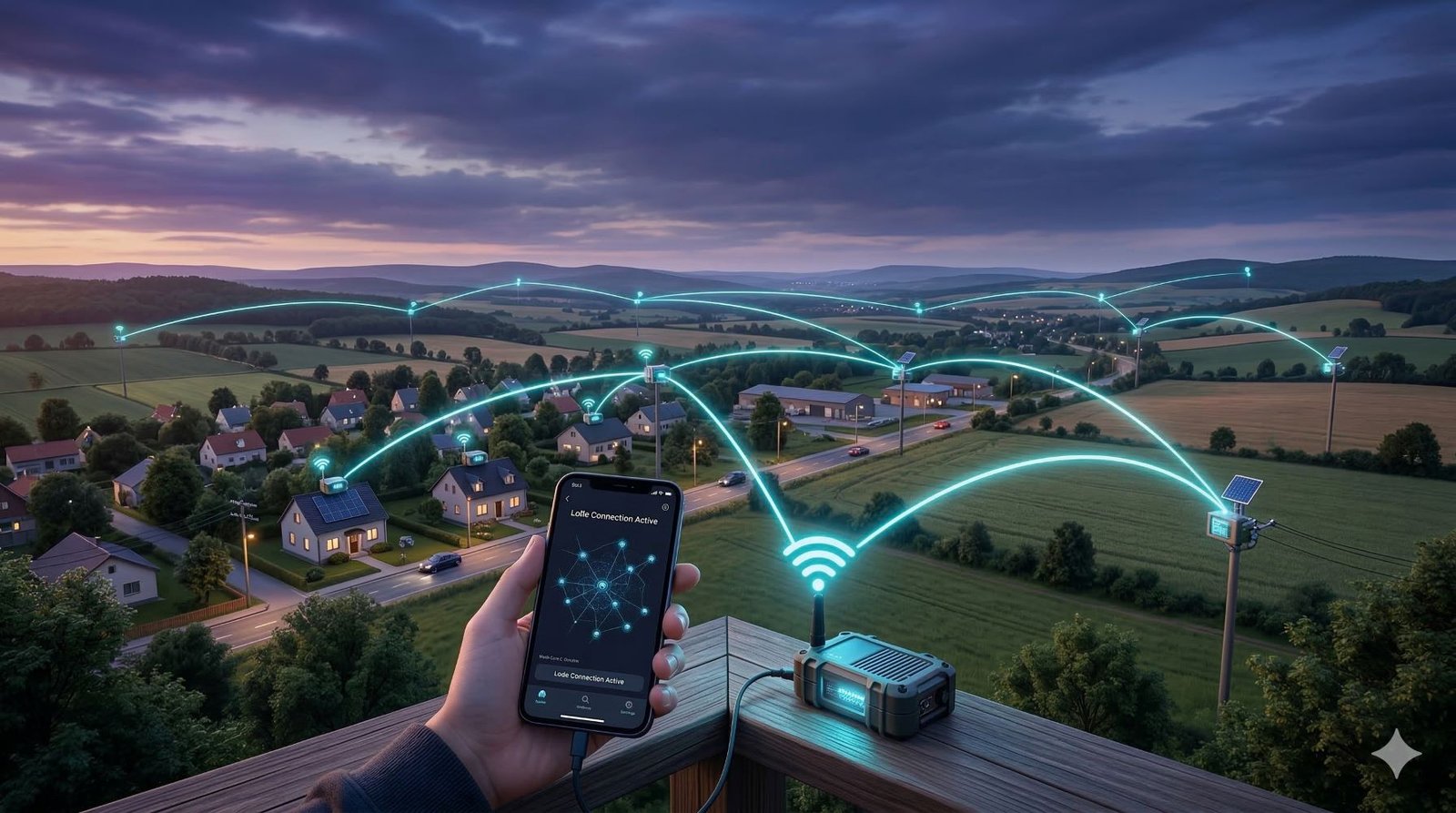
MeshCore can operate without cellular towers, internet access or a central network service. Companion devices act as endpoints, while dedicated repeaters provide multi-hop coverage.
This makes them useful for situations where traditional communication infrastructure is unavailable or unreliable, such as:
- disaster response
- remote communities
- outdoor expeditions
- experimental DIY networking projects
The parts that matter most are the node roles, the radio settings they share, and where repeaters sit in the network.
What Is MeshCore?
MeshCore is a LoRa-based mesh networking platform designed for embedded devices.
The project allows devices equipped with LoRa radios to communicate by forwarding messages through other nodes in the network.
MeshCore uses a hybrid routing system. A direct message can initially be flood-routed through repeaters to discover the recipient; after a delivery response returns the route, later messages can carry that learned path so only the repeaters named in it retransmit the packet. Group-channel messages are flood-routed because they do not have one defined destination.
For example:
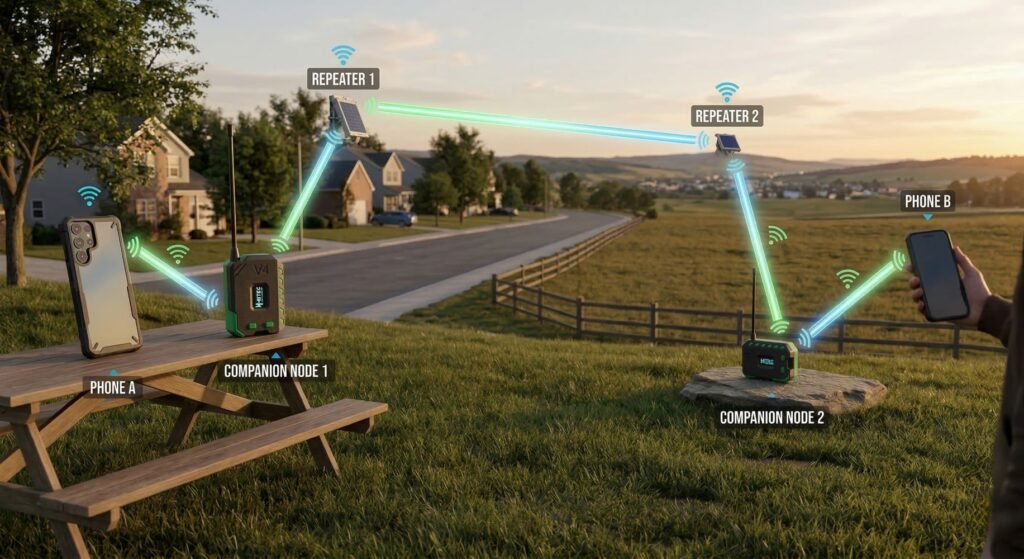
The repeaters in this example extend coverage between the companion nodes. Companion nodes normally send and receive messages but do not relay traffic for other users.
Because LoRa radios can communicate over several kilometers depending on terrain and antenna configuration, a MeshCore network can potentially cover very large geographic areas with relatively few devices.
The project focuses on enabling:
- decentralized communication
- low-power networking
- long-range message forwarding
- experimental mesh deployments
MeshCore is still evolving, and some parts of the ecosystem are actively being developed.
How MeshCore Works
To understand MeshCore, it’s helpful to first understand the basics of LoRa radio communication.
LoRa Radio Basics
LoRa is a modulation technique designed specifically for:
- long range
- low power consumption
- small data packets
LoRa devices operate in unlicensed ISM frequency bands, including:
- 868 MHz (Europe)
- 915 MHz (North America and Australia)
- 433 MHz (used in some regions)
Because these bands are license-free, anyone can deploy LoRa devices as long as they follow regional transmit power and duty cycle regulations.
LoRa is excellent for sending small packets of data over long distances, but it is not designed for high-bandwidth communication.
Multi-Hop Packet Forwarding
The key feature of MeshCore is multi-hop packet routing.
Instead of sending messages directly between two devices, packets can travel through intermediate nodes.
Example:
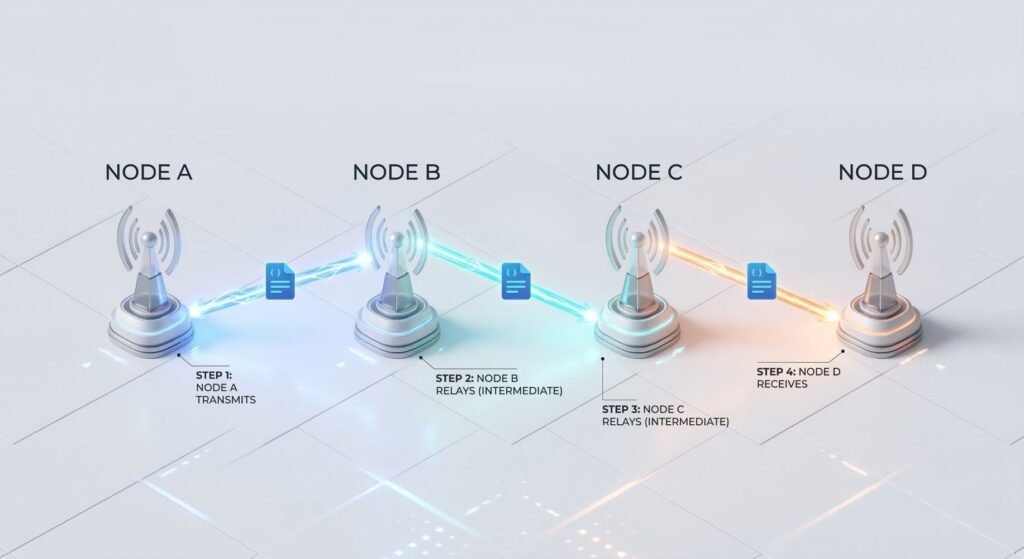
In this scenario:
- Node A cannot reach Node D directly
- Node B and Node C forward the packet
This allows coverage to grow as additional repeaters are deployed in useful locations. Adding companion nodes increases the number of users but does not itself extend the mesh, because companions do not relay traffic.
Decentralized Networking
MeshCore networks are designed to operate without centralized infrastructure.
This means they do not require:
- internet connectivity
- cellular networks
- centralized servers
Nodes exchange LoRa packets with compatible radios in range, but normal companion nodes do not repeat other users’ traffic. Relaying is handled by dedicated repeaters, or by a room server only if its optional repeat mode has been enabled.
If a learned direct-message path stops working, the client can retry and fall back to flood routing to discover another available path. Delivery still depends on a usable radio path and the configured retry behaviour.
MeshCore Node Roles
MeshCore separates endpoint and infrastructure jobs into different node roles rather than having every device behave the same way.
The primary node types are:
- Companion Nodes
- Repeaters
- Room Servers
- Sensor Nodes for remote telemetry and sensor data
Companion Nodes
A MeshCore companion node is a LoRa radio running companion firmware. Depending on the firmware and hardware, it connects to a MeshCore app on a smartphone or computer over Bluetooth, USB serial or Wi-Fi.
The app provides the user interface, while the companion radio sends and receives the LoRa packets.
Companion nodes allow users to:
- send messages
- receive messages
- interact with mesh communication channels
Companion nodes do not repeat packets for other users.
Keeping relay duties on dedicated infrastructure helps reduce unnecessary retransmissions and avoids building routes through mobile companion devices.
Instead, packet forwarding is handled by dedicated infrastructure nodes.
Repeaters
Repeaters act as the core infrastructure nodes of a MeshCore network.
Their purpose is simple:
forward packets when the packet’s flood or direct-route rules call for retransmission, extending coverage without blindly repeating every packet received.
Repeaters are typically installed in fixed locations such as:
- rooftops
- towers
- hills
- tall buildings
Because repeaters are stationary and strategically positioned, they provide more reliable routing paths than mobile nodes.
Large MeshCore networks rely heavily on well-placed repeaters to maintain connectivity across wider areas.
Room Servers
Room servers provide an additional feature in MeshCore networks: message persistence.
Unlike repeaters, which simply forward packets, room servers can store messages and allow them to be retrieved later.
This allows for asynchronous communication, meaning users do not need to be connected to the network at the same time.
Example:
- User A sends a message to a room.
- The room server stores the message.
- User B connects later and retrieves it.
This behavior is somewhat similar to a basic bulletin board system (BBS).
MeshCore documentation says a room server can be set to repeat, but this is not the recommended approach. The docs recommend using separate devices for repeater and room server roles, since a room server with repeating enabled lacks the full feature set of dedicated repeater firmware.
Hardware That Runs MeshCore
MeshCore is designed to run on microcontroller-based LoRa hardware.
These devices typically include:
- a microcontroller (such as an ESP32)
- a LoRa radio transceiver
- optional peripherals like displays or sensors
Common hardware used for MeshCore nodes includes:
- supported Heltec LoRa models
- supported LilyGo LoRa models
- supported RAK Wireless LoRa models
- ESP32-based LoRa development boards
Many of these boards combine an ESP32 microcontroller with a Semtech LoRa radio chip such as the SX1276 or SX1262.
Devices become part of a MeshCore network once the appropriate firmware is flashed.
Radio Configuration
Nodes must use compatible radio settings to hear one another. The safest approach is to select the same current regional preset on every device, which aligns the frequency, bandwidth, spreading factor and other required modem settings.
Frequency, bandwidth and spreading factor must match for direct reception. Coding rate is a special case because LoRa’s normal explicit packet header tells the receiver which coding rate the transmitter used.
Important LoRa parameters include:
Frequency
Defines the radio channel used by the network.
Common frequencies include:
- 868 MHz (Europe)
- 915 MHz (North America and Australia)
Bandwidth
Bandwidth determines the width of the radio channel.
Common LoRa bandwidth values include:
- 62.5 kHz
- 125 kHz
- 250 kHz
Lower bandwidth improves receiver sensitivity but reduces throughput.
Spreading Factor
Spreading factor controls symbol duration and affects both range and data rate.
Lower values such as SF7 shorten airtime and increase data rate, while higher values improve receiver sensitivity at the cost of much longer transmissions. Current MeshCore regional presets commonly use SF7, SF8 or SF9, but the correct value is the one selected by your local preset.
Coding Rate
Coding rate adds forward error correction to improve the chance of recovering data affected by interference. LoRa values are usually written as 4/5, 4/6, 4/7 or 4/8; adding more redundancy improves error correction but increases airtime.
Unlike frequency, bandwidth and spreading factor, coding rate does not have to be preconfigured identically at the receiver when LoRa’s standard explicit-header mode is used. The transmitter includes its payload coding rate in the header, allowing another radio to decode it. MeshCore can therefore receive packets sent with a different coding rate, although using the same regional preset remains the simplest way to keep a deployment consistent.
MeshCore’s documentation recommends CR5 (4/5) for stable links and suggests CR7 or CR8 for more difficult links, accepting the extra airtime.
Network Range and Performance
The range of a MeshCore network depends heavily on environmental conditions.
There is no dependable urban, suburban or rural “typical range” that applies to every installation. A clear, elevated line-of-sight link can exceed 10 km, while buildings, terrain, antenna placement and local interference can reduce a link to a small fraction of that distance. Treat any quoted range as a result from a particular installation rather than a guarantee.
However these values vary significantly depending on:
- antenna gain
- antenna height
- terrain
- buildings and obstacles
- radio configuration
Because MeshCore supports multi-hop routing, the total network coverage can extend far beyond the range of a single radio link.
MeshCore vs Meshtastic
MeshCore is often compared with Meshtastic, another LoRa mesh messaging platform.
Both systems allow devices to communicate over LoRa mesh networks, but they use different architectural approaches.
Meshtastic
- Broadcast traffic uses managed flooding, with eligible nodes suppressing some duplicate retransmissions
- Since Meshtastic 2.6, direct messages can learn a next hop at each stage and fall back to managed flooding if that route fails
- Client devices can participate in relaying, while router and repeater roles receive higher rebroadcast priority
MeshCore
- Uses fixed companion, repeater and room-server roles
- Group-channel traffic floods through eligible repeaters
- Direct messages can begin with flood routing, then use an ordered path learned from the delivery response
- Companion nodes do not repeat other users’ traffic
The practical difference is therefore not simply “flooding versus routing.” Both projects now optimise some direct traffic, but MeshCore separates endpoint and infrastructure roles and carries a learned repeater path in subsequent direct packets.
Typical MeshCore Network Deployment
A simple MeshCore network might look like this:
Companion A ── Repeater(s) ── Companion B
                    │
               Room Server
In real deployments, networks often include:
- rooftop repeaters
- portable companion devices
- room servers storing messages
Additional well-positioned repeaters can expand coverage. Companion nodes add users and endpoints, while room servers add stored-message functionality; neither role automatically extends radio coverage.
Advantages of MeshCore
MeshCore offers several advantages for experimental and off-grid communication networks.
Decentralized communication
Networks can operate without internet infrastructure.
Long range
LoRa radios can communicate across kilometers.
Resilient architecture
Multi-hop routing allows multiple possible paths for packets.
Low power operation
LoRa radios are designed for battery-powered devices.
Limitations and Challenges
MeshCore also has several limitations.
Low bandwidth
LoRa networks are designed for small packets of data.
They are not suitable for:
- voice communication
- large file transfers
- video streaming
Infrastructure requirements
Two companion nodes can communicate directly without a repeater when they are within radio range. Reliable wide-area or obstructed coverage, however, depends on suitably positioned repeaters.
Evolving ecosystem
MeshCore is still developing and parts of the ecosystem continue to evolve.
Hardware compatibility
MeshCore supports many LoRa boards, but not every development board has a ready-made firmware build. Check the current device list in the official web flasher before buying hardware.
Getting Started with MeshCore
Building a MeshCore network typically involves the following steps.
1. Obtain compatible hardware
Examples include:
- supported Heltec LoRa models
- supported LilyGo LoRa models
- supported RAK Wireless LoRa models
2. Flash MeshCore firmware
Firmware can usually be flashed using:
- official MeshCore Web Flasher
- USB-based setup through the MeshCore web configuration tool
- OTA update tools supported by the device platform
3. Configure radio parameters
Select the same current regional preset on each node. This keeps the required frequency, bandwidth, spreading factor and related modem settings compatible; coding rate may vary between transmitted packets when explicit headers are used.
4. Assign node roles
Devices can be configured as:
- companion nodes
- repeaters
- room servers
5. Deploy nodes
Two companions can communicate directly when they are in range. Add well-positioned repeaters where multi-hop coverage is needed, then send adverts so users and infrastructure can discover identities and paths across the mesh.