Most of the attention around MeshCore has been focused on off-grid messaging. Companion nodes send messages, repeaters extend coverage, and room servers add stored messages to the network.
There is another side of MeshCore that I think is just as interesting for DIY projects: Sensor Nodes.
On 14 September 2026, MeshCore lead firmware developer Scott Powell published a detailed introduction to the Sensor Node firmware. What caught my attention straight away was one of the examples used in the official post: monitoring the water level in a water tank.
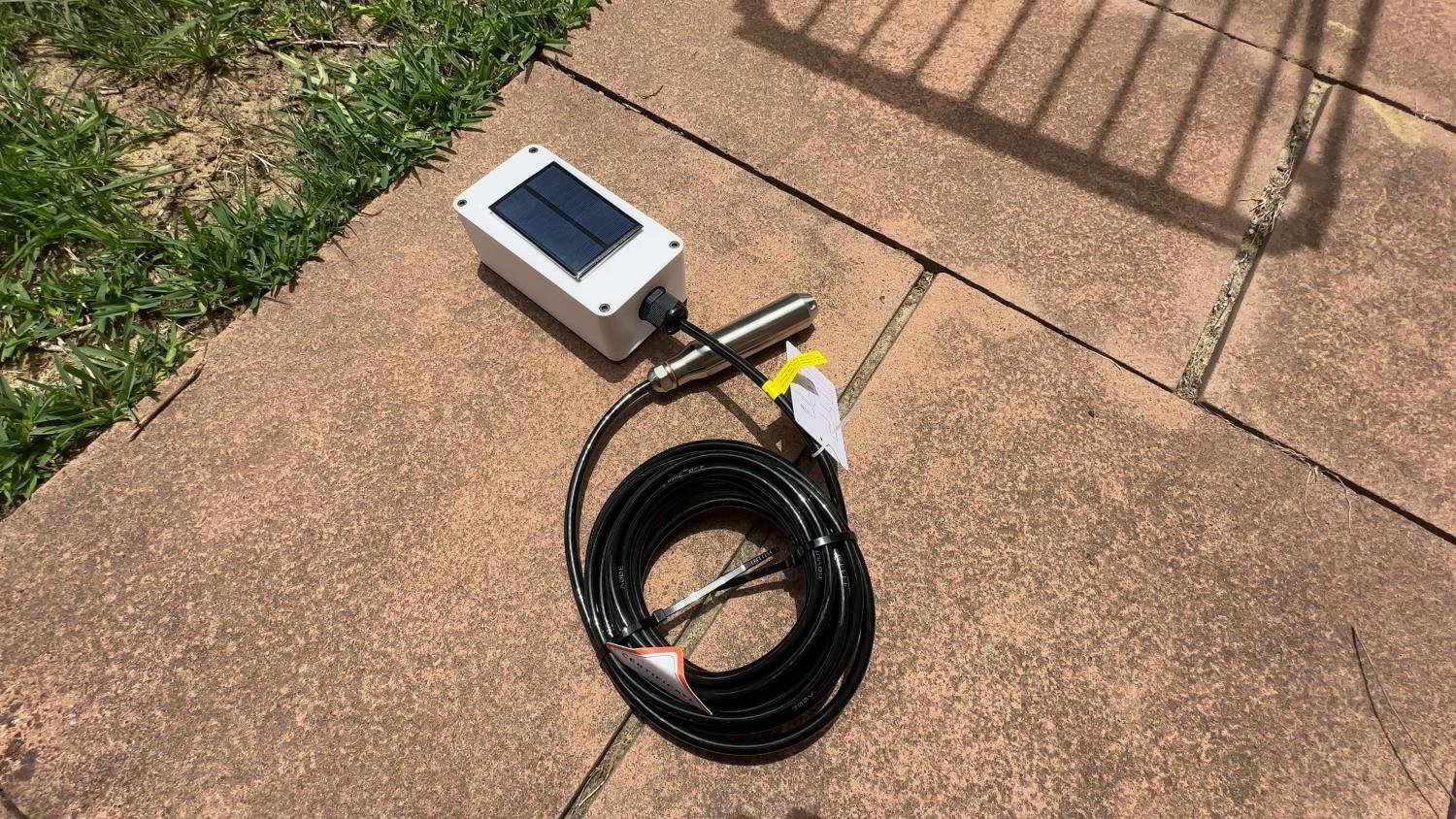
That is very close to something I have already been working on. My LoRa water tank sensor wakes periodically, takes a pressure reading, sends the result to a gateway and then goes back to sleep. I built the radio protocol, acknowledgements, encryption and Home Assistant gateway around that project myself.
MeshCore Sensor Nodes take a different approach. Instead of writing the networking layer from scratch, a sensor can use the existing MeshCore network for routing, identity, access control, alerts and telemetry.
That sounds simple, but Sensor Nodes are not currently a plug-and-play feature where you choose a sensor in the MeshCore flasher and start collecting data. They are aimed at people who are comfortable modifying and compiling firmware in PlatformIO.
After digging through the official Sensor Node introduction, the current firmware source, supported sensor code, access-control behaviour and the MeshCore Home Assistant integration, here is how the system actually works and where I think it makes sense.
What Is a MeshCore Sensor Node?
A MeshCore Sensor Node is a dedicated MeshCore node role intended to collect data from physical sensors and make that data available across a MeshCore LoRa network.
It is not simply a normal companion node with a BME280 attached. Sensor Nodes have their own firmware framework built around the SensorMesh class, and they advertise themselves to the network as a sensor role.
The official starting point lives in the MeshCore repository under examples/simple_sensor.
The example already handles a lot of the networking work. You are mainly expected to customise the parts that are specific to your project, such as which physical sensors are connected, what counts as an alert, what historical values you want to retain and what remote commands the node should accept.
MeshCore provides the framework, but the application logic is still yours. It cannot know whether your node is measuring tank depth, soil moisture, temperature, solar output or something completely different.
Why MeshCore Sensor Nodes Are Interesting
The obvious benefit is range, but LoRa already gives us long-range communication. The more interesting part is what MeshCore adds on top of the radio.
A custom point-to-point LoRa sensor normally needs you to decide how packets are formatted, how devices are identified, whether messages are acknowledged, how authentication works, how a receiver finds the sensor and what happens if the sensor is no longer directly reachable.
MeshCore already has a network for moving packets between nodes. A Sensor Node can sit at the edge of that network and use existing MeshCore repeaters to reach another part of the mesh rather than requiring a direct radio path back to one gateway.
If you are new to the network itself, my MeshCore guide covers how companions, repeaters, room servers and multi-hop routing fit together.
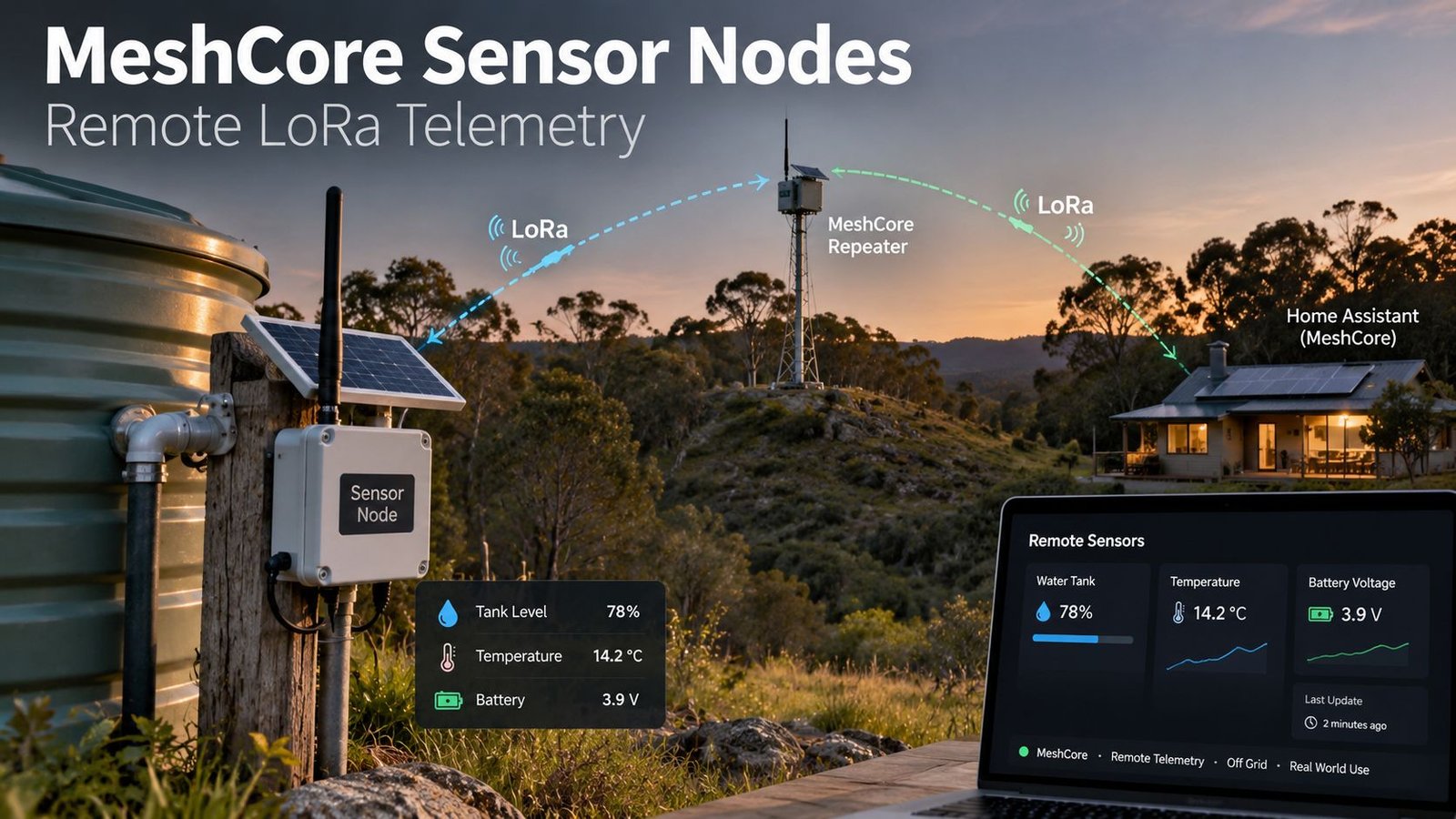
A practical remote-sensor setup could look like this:
Remote Sensor Node
        |
      LoRa
        |
  MeshCore Repeater
        |
      LoRa
        |
Local MeshCore Companion
        |
 USB / TCP / BLE
        |
  Home Assistant
The repeaters are doing the radio-network work. The sensor does not need Wi-Fi coverage at the measurement site, and Home Assistant does not need to be located within direct LoRa range of every remote sensor.
MeshCore Sensor Nodes vs Direct LoRa and LoRaWAN
MeshCore is not automatically the best option for every LoRa sensor. It solves a different problem from a simple private LoRa link or a LoRaWAN deployment.
| Approach | How it works | Where it fits |
|---|---|---|
| Direct LoRa | Your sensor talks directly to your own receiver using a protocol you design | Simple one-to-one or one-to-gateway projects where you want full control and very low power |
| MeshCore Sensor Node | Sensor telemetry is carried through the MeshCore network and can use existing repeaters | Multiple remote sites, existing MeshCore coverage, telemetry plus remote commands or alerts |
| LoRaWAN | End devices transmit to LoRaWAN gateways, with network and application-server infrastructure handling delivery | Larger IoT deployments, commercial sensors and applications already built around LoRaWAN |
My current water tank project is deliberately simple on the network side. It wakes, sends a small encrypted packet to my gateway, waits for an acknowledgement and goes back to sleep. That is hard to beat for a single low-power sensor when the gateway can be reached directly.
MeshCore becomes more attractive when the radio path is not direct, when several sensors need to share existing mesh infrastructure, or when you want features like remote telemetry queries and commands without designing all of that networking yourself.
How MeshCore Telemetry Works
The current Sensor Node model is mostly request and response.
An authorised node requests telemetry from the Sensor Node. The Sensor Node reads or retrieves its measurements, packages them into a telemetry response and sends the response back through MeshCore.
MeshCore uses Cayenne LPP to encode the telemetry values. That is useful because the packet can describe standard data types such as temperature, humidity, voltage, current, distance and GPS information without every application inventing a completely different payload format.
The firmware’s EnvironmentSensorManager handles much of the low-level sensor work. It scans for enabled I2C devices, initialises supported hardware and places readings into the appropriate LPP telemetry channels.
This means a BME280, for example, can provide temperature, humidity, pressure and altitude data without you having to create your own packet structure for those values.
Which Sensors Are Already Supported?
The current MeshCore code already includes support for a surprisingly broad range of common sensors and telemetry hardware. Support is enabled at build time, so you only compile in the sensor drivers your particular node needs.
| Sensor or family | Typical measurements |
|---|---|
| AHT10 / AHT20 | Temperature and humidity |
| BME280 | Temperature, humidity, pressure and calculated altitude |
| BME680 | Environmental sensing |
| BMP280 / BMP085 | Temperature and barometric pressure |
| SHTC3 / SHT4x | Temperature and humidity |
| LPS22HB | Temperature and pressure |
| INA219 / INA226 / INA260 | Voltage, current and power |
| INA3221 | Multi-channel voltage, current and power |
| MLX90614 | Infrared object and ambient temperature |
| VL53L0X | Time-of-flight distance |
| RAK12035 | Soil moisture |
| GPS | Location telemetry |
“Supported” needs a bit of context here. MeshCore knowing how to read a VL53L0X does not magically turn it into a finished tank-level monitor. You still need to write the application logic that turns a distance into a useful level, percentage or volume.
The same applies to a pressure transducer, reed switch, analogue probe or another sensor that is not already handled by the helper. MeshCore gives you a framework that can be extended, not a catalogue of finished sensor applications.
Alerts Can Be More Useful Than Constant Telemetry
The alert system is one part of the Sensor Node design I particularly like.
The example firmware supports both high-priority and low-priority alerts. The difference is not just the wording.
- High-priority alerts are sent to authorised ACL entries with the relevant high-priority permission. The node waits for an acknowledgement and retries delivery.
- Low-priority alerts are sent once to authorised ACL entries with the low-priority permission and do not wait for an acknowledgement.
The official example uses battery voltage, with one threshold for a low battery and another for a critical battery.
For a real sensor, the same logic could be used for things like a tank falling below a reserve level, a freezer becoming too warm, a remote solar system reaching a low battery threshold, or soil moisture dropping below a chosen value.
For many remote-monitoring jobs, that can be more useful than transmitting every reading constantly. Most of the time you may only care that the value is normal. The important packet is the one that tells you something has crossed a limit.
Telemetry Push Is Coming, But It Is Not Here Yet
This is one detail I think is easy to misunderstand from the announcement.
As of 16 September 2026, MeshCore’s new telemetry push subscription system is described by the developers as an upcoming feature. It is not something I would build a project around today and assume is already available.
The idea is to avoid repeatedly polling a sensor. Another node will be able to subscribe to selected telemetry values and specify a minimum change required before the Sensor Node pushes an update.
For example, a subscriber could ask to be updated only when temperature changes by at least 2°C.
The proposed design also includes subscription timeouts and requires the subscriber to specify the telemetry channels, data types and minimum changes it cares about. That should help avoid turning every small fluctuation into unnecessary LoRa traffic.
This is exactly the sort of behaviour I would want from a larger remote sensor network, but for now the normal telemetry workflow is still based around requesting data from the Sensor Node.
Sensor Nodes Can Keep Short-Term Time-Series Data
MeshCore also includes a TimeSeriesData helper for retaining periodic measurements on the node itself.
The example stores 24 hours of battery measurements at five-minute intervals in a circular buffer. A remote node can then request the minimum, maximum and average over a particular time range.
That is a clever way to get useful history without trying to transmit every raw sample over LoRa.
The catch is that the example time-series buffer is stored in volatile memory. It is not a permanent local database. If the Sensor Node resets or loses power, that history is lost.
I would think of it as short-term edge data rather than long-term logging. If you want months of graphs, that data is better collected by something like Home Assistant, InfluxDB or another system once it has made it off the LoRa network.
A Sensor Node Can Also Control Things
Despite the name, Sensor Nodes are not limited to reading sensors.
The firmware exposes a custom command handler that can intercept remote CLI commands and run your own code. MeshCore’s developer gives examples such as switching an LED or moving a servo.
So the same remote node could both monitor and control something. You might read a tank level and control a relay, monitor a gate and trigger an output, or collect environmental data and operate a fan.
Obviously, once a node can change a physical output, access control becomes more important. I would not treat a remote command path as something to expose casually just because the radio link is LoRa.
Sensor Telemetry Is Access Controlled
Sensor data is not simply open to anyone who happens to hear the node.
A MeshCore developer discussion earlier this year clarified an important point. A user had built a BME280 Sensor Node on a XIAO nRF52 and found that other users could discover the sensor but could not query its telemetry until they were added to the Sensor Node’s ACL.
MeshCore developer Liam Cottle explained that the requesting node needs to be in the ACL because the Sensor Node needs the requester’s public key in order to decrypt the request. You can read that discussion here.
That behaviour matters if you are thinking about putting a sensor on a community MeshCore network. Being discoverable does not automatically mean every MeshCore user can read the data or send commands to it.
Using MeshCore Sensor Data in Home Assistant
Home Assistant is where this starts to fit neatly into the sort of systems I already build.
There is a MeshCore custom integration for Home Assistant. It can connect to a local MeshCore node over USB, TCP or BLE and expose information from the mesh inside Home Assistant.
The integration understands Cayenne LPP telemetry and can dynamically create entities when telemetry is received. Its current documentation includes support for temperature, humidity, illuminance, presence, voltage, current, digital and analogue I/O, accelerometer data, generic sensor values and GPS device trackers.
In practical terms, the chain can be:
MeshCore Sensor Node
        ↓
MeshCore LoRa network
        ↓
Local companion radio
        ↓
MeshCore Home Assistant integration
        ↓
Home Assistant entity
        ↓
Dashboard / automation / notification
Once a reading is a normal Home Assistant entity, you can use it like any other sensor. The integration documentation even includes an example automation that triggers when a remote MeshCore temperature entity rises above a set value.
I would still treat the Home Assistant integration as early-stage. Its documentation marks it as a work in progress, and BLE is specifically called out as less thoroughly tested than the other connection methods. For a fixed gateway, I would lean toward a wired USB or reliable TCP-connected companion where possible.
Building a Sensor Node Is Still a Developer Job
If you have flashed a MeshCore repeater using the web flasher, the Sensor Node process is quite different.
MeshCore does not publish thousands of pre-built Sensor Node combinations because the hardware attached to a sensor can vary so much. Instead, the official workflow is:
- Install Visual Studio Code and PlatformIO.
- Clone the MeshCore firmware repository.
- Start with
examples/simple_sensor. - Select or create a PlatformIO sensor environment for your board.
- Enable the physical sensor drivers required by your build.
- Add your own alert, time-series and command logic in
main.cpp. - Compile and flash the firmware.
- Configure the Sensor Node and ACL permissions on the MeshCore network.
- Test telemetry and routing before deploying it remotely.
The official post uses [env:Heltec_v3_sensor] as an example. The current source also contains Sensor Node build targets for other hardware, including the Heltec T096, RAK WisMesh Tag and RAK3172 family. The exact list will continue changing as board variants are added.
If you are choosing hardware from scratch, check the current MeshCore repository rather than assuming every board in the general MeshCore device list already has a ready-made Sensor Node environment.
The Biggest Question for Battery Sensors: Power Consumption
This is the part I would want to test before putting a MeshCore Sensor Node in a solar box and forgetting about it.
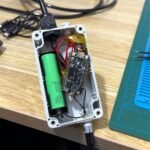
My own LoRa tank sensor spends almost its entire life in deep sleep. It only wakes roughly every 30 minutes, powers the pressure sensor, takes a reading, transmits and goes back to sleep. That is how I was able to get the average current down to around 291µA over a complete cycle.
The current MeshCore simple_sensor example does not work that way out of the box. Its main loop continuously services MeshCore, the attached sensors, the clock and optional display. It does not automatically call deep sleep when there is no pending work.
That does not mean MeshCore has no low-power support. Some MeshCore board implementations include sleep functions, and the Heltec V4 board code even contains a deep-sleep mode that can wake the ESP32 from the LoRa radio’s DIO interrupt when a packet arrives.
But that capability and a finished low-power Sensor Node strategy are not the same thing.
A remotely queryable sensor needs to be reachable when another node sends a telemetry request. A deeply sleeping node is normally not listening to the radio. Making those two goals work together depends heavily on the hardware and how the firmware is designed.
There is also an open MeshCore issue proposing more use of interrupts and sleep instead of an idle main loop to reduce power consumption. That is a good indication that power optimisation is still an active area of development.
For a mains-powered weather station or a reasonably sized solar installation, this may not be a major problem. For a tiny battery node expected to last months or years, I would measure it before deciding that MeshCore is automatically the better option.
Could You Build a MeshCore Water Tank Sensor?
Yes, and the official MeshCore article specifically uses water-tank level monitoring as an example of why Sensor Nodes need to be customisable.
There are a few ways I could see it being done.
A VL53L0X is already supported by the Sensor Manager, so a simple distance-based level sensor could use an existing driver and add the calculations needed to turn distance into water level.
My own tank project uses an analogue submersible pressure transducer instead. That would require custom code to read and calibrate the pressure sensor, then add the resulting depth or percentage into MeshCore telemetry.
The interesting part is that I would no longer need to build the entire radio network around the tank sensor. MeshCore could handle the route through repeaters, node identity, access control, telemetry requests and alert delivery.
On the other hand, my existing direct LoRa design is already extremely lightweight and spends almost all of its time asleep. I would not assume a MeshCore conversion is automatically an upgrade until I had compared power consumption and reliability on the same hardware.
That comparison is probably the project I am most interested in trying: the same remote measurement problem, once with a purpose-built point-to-point protocol and once as a MeshCore Sensor Node.
Where MeshCore Sensor Nodes Make the Most Sense
Based on the current implementation, I think Sensor Nodes are most compelling when at least one of these is true:
- You already have useful MeshCore repeater coverage.
- The sensor cannot reliably reach one fixed gateway directly.
- You have several remote sensor sites spread across a property or area.
- You want to query sensors remotely rather than only receive periodic broadcasts.
- You want high and low priority alerts with MeshCore acknowledgements and ACL permissions.
- You want a path from LoRa telemetry into Home Assistant without building a completely custom radio protocol.
- You want to add remote control commands as well as measurements.
If all you need is one battery sensor 300 metres from one receiver, a custom direct LoRa link may still be simpler. Mesh networking is useful when you actually have a networking problem to solve.
Current Limitations to Keep in Mind
Sensor Nodes are one of the more interesting parts of MeshCore, but I would still describe them as a developer feature rather than a finished consumer feature.
- No generic one-click sensor firmware: you normally build the Sensor Node yourself in PlatformIO.
- Telemetry is currently pull-based: subscription-based telemetry push is planned but was not released when this article was written.
- Time-series storage is volatile: the example keeps its circular buffer in RAM, so a reboot clears it.
- ACL setup matters: another node being able to discover your Sensor Node does not automatically give it permission to query telemetry.
- Low-power operation needs thought: the stock example is not a periodic deep-sleep transmitter like many dedicated battery sensors.
- Home Assistant support is still developing: the custom integration is useful, but it is explicitly marked as work in progress.
- Supported hardware does not mean finished application: you still need to write the logic that turns a sensor reading into whatever your project actually needs.
Final Thoughts
What interests me about MeshCore Sensor Nodes is not simply that MeshCore can read a BME280. There are plenty of ways to put a temperature sensor on a microcontroller.
The interesting part is being able to put that sensor onto an existing long-range mesh and reuse the networking work that MeshCore already provides.
Routing through repeaters, identities, access control, telemetry, acknowledged alerts, short-term statistics and remote commands are all problems I would otherwise have to solve myself in a custom LoRa project.
It is not quite “ESPHome for LoRa”. You still need to work in C++ and PlatformIO, and power management deserves particular attention for battery-powered deployments. The upcoming telemetry push system should also make the architecture more useful once it actually lands.
Right now, I would treat MeshCore Sensor Nodes as a developer-facing option for people who already understand LoRa and want to move beyond off-grid messaging into remote telemetry.
If you already have MeshCore repeaters in place, that is where this gets compelling: the same infrastructure carrying your messages could also carry data from tanks, weather stations, solar systems, soil sensors and other remote equipment.