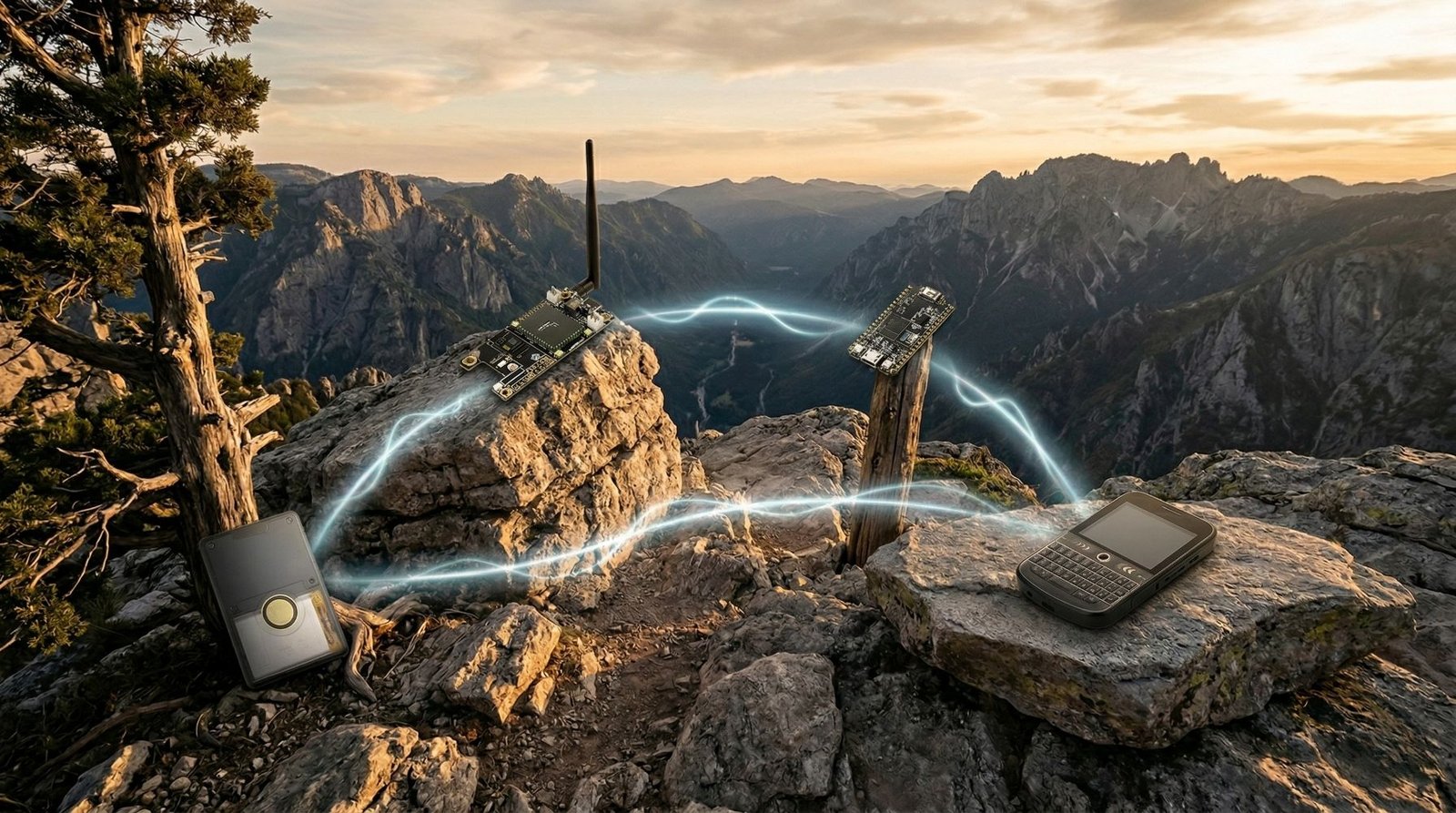
If you are getting into MeshCore, the device you choose matters more than most people expect. Some boards are cheap and easy to start with. Some are better suited to fixed installs. Others make more sense for tracking, better battery life, or fully standalone off-grid messaging.
That is what makes buying a MeshCore device a little tricky. There is no single best option for everyone. The right choice depends on how you want to use it. Do you want the cheapest way to get on the mesh? A proper handheld that works without needing your phone all the time? A GPS-capable board? A solar-friendly repeater? Or a fixed base station designed to sit in one spot and extend coverage?
The easiest way to narrow the list is by role. If you are still deciding which ecosystem to use, start with the MeshCore vs Meshtastic comparison first.
Quick picks
- Best for beginners: Heltec V3
- Best fixed node or repeater: Heltec V4
- Best standalone handheld: LilyGo T-Deck Plus
- Best GPS build: LilyGo T-Beam
- Best enclosed tracker: SenseCAP T1000-E
- Best low-power modular node: RAK4631 WisBlock
- Best high-power base station: Station G2
| Device | Best for | MeshCore role | Phone required? | GPS | Form factor | Key caveat / current support |
|---|---|---|---|---|---|---|
| Heltec V3 | Beginners and cheap test nodes | Companion or repeater | Yes as a companion | No | Development board | Still well supported, but an ESP32 board is less power-efficient than nRF52 options for long-term battery or solar use. |
| Heltec V4 | Fixed nodes and repeaters | Companion or repeater | No as a repeater | No | Development board | Check the exact V4 hardware revision and firmware target before flashing. |
| LilyGo T-Deck Plus | Standalone messaging | Standalone client | No | Yes | Enclosed keyboard handheld | Still a strong standalone option, with the newer ThinkNode M9 now another serious no-phone alternative. |
| LilyGo T-Beam | GPS-focused DIY builds | Companion | Yes | Yes | Development board | There are several T-Beam revisions, so match the exact board to the current MeshCore flasher target. |
| SenseCAP T1000-E | Compact tracking | Companion / tracker | Yes | Yes | Enclosed tracker | Very tidy and portable, but less flexible than a board-level build. |
| RAK4631 WisBlock | Low-power and solar builds | Companion or repeater | No as a repeater | Optional | Modular board | The RAK4631 core needs a compatible WisBlock base board such as the RAK19003, RAK19007 or RAK19026. |
| Station G2 | High-power fixed infrastructure | Repeater / base station | No | Optional | Fixed base-station board | Power, antenna choice and local transmit-power rules matter much more than with normal low-power nodes. |
How to choose the right MeshCore device
Before buying anything, it helps to think about five things.
The first is how you want to use it. Some devices work best as companion radios used with a phone app. Others are much better if you want a full standalone device with its own screen and controls.
The second is whether you need GPS. Not everyone does, but if location tracking, mapping, or portable use matters, that immediately narrows the list.
The third is whether you want a board or a finished device. A bare board can be cheaper and more flexible, but it also feels more like a project. An enclosed device is usually easier to carry and easier to live with day to day.
The fourth is where the device will live. A pocket device, a car node, a roof repeater, and a solar-powered remote node all have different priorities.
The fifth is frequency. You need a radio band that is legal where you plan to use it, but it also needs to match the band and preset used by the local MeshCore network you want to join. Buying the right regional hardware but using a different local preset can still leave you unable to communicate with nearby nodes, so check both before ordering.
Heltec V3: best MeshCore device for beginners
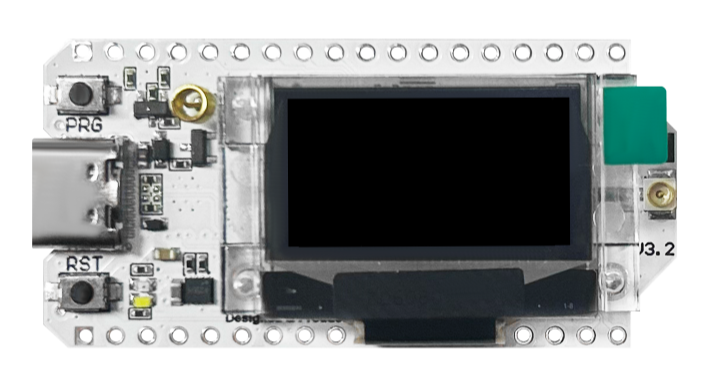
If you are new to MeshCore and just want the easiest sensible starting point, the Heltec V3 is still one of the best places to begin.
It is affordable, widely used, and gives you the main features most people want from a first MeshCore device: Wi-Fi, Bluetooth, a small OLED display, and Li-Po battery support. That combination makes it a very easy board to recommend because it keeps the entry cost low without feeling too stripped back.
What I like about the Heltec V3 is that it makes the first step into MeshCore feel simple. It is the kind of board I would look at if I wanted to buy two nodes, flash both quickly, and start testing range and routing properly rather than just playing around with one board on a desk. That matters, because MeshCore makes a lot more sense once you actually have more than one node talking to each other.
It is also a good option for people who like the idea of experimenting without spending too much upfront. If you end up deciding MeshCore is not for you, you have not spent a fortune. If you do get into it, the V3 still remains useful as a spare node, a simple companion radio, or a basic fixed point somewhere around the house.
The downside is that it still feels like a development board. It is not especially polished, it is not the nicest thing to carry around in a pocket every day, and it is not the best choice if you want something that feels more like a finished handheld device.
Heltec V3
A solid starter board for MeshCore builds, with LoRa, OLED, Wi-Fi and USB-C built in.
Buy this if: you want the cheapest sensible way to start, learn, and test MeshCore.
Skip this if: you want a polished handheld or a ready-to-carry enclosed device.
Heltec V4: best for a fixed node or repeater
If the Heltec V3 is the beginner-friendly starting point, the Heltec V4 feels more like the stronger step up for a fixed MeshCore node or repeater.
For a node you plan to place in a good position and leave there, the V4 starts to make more sense than the V3. A window node, garage node, shed node, or repeater can make better use of its stronger output and improved receive performance, especially in a semi-permanent or permanent install.
That does not mean it is automatically the best choice for everyone. If you just want to get onto MeshCore as cheaply as possible, the V3 still makes more sense. But if the goal is to improve coverage, create a stronger home node, or build something that might later end up in an enclosure with external power or solar, the V4 is a very strong pick.
The V4 also makes more sense once MeshCore is becoming more than a quick experiment. It is still accessible and affordable, but its strengths line up better with repeater and infrastructure roles.
Like the V3, it is still board-level hardware rather than a finished product. You still need to think about enclosure, antenna choice, and how it will be powered if it is going to live somewhere permanently.
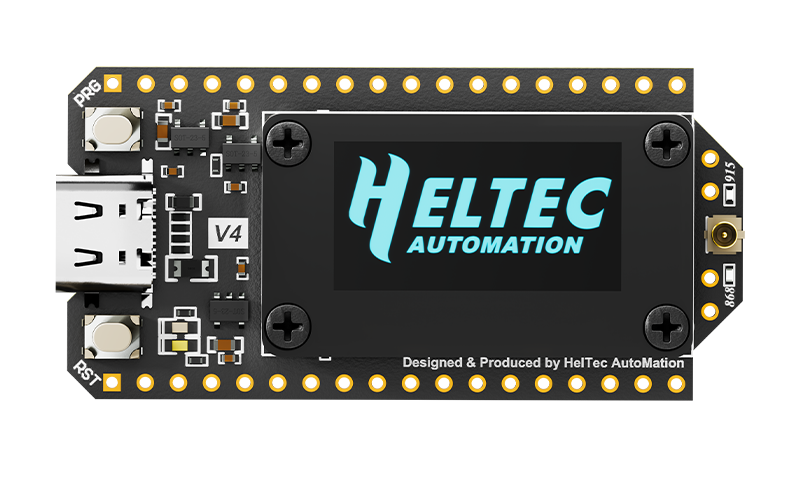
Heltec V4
A good pick for newer MeshCore builds if you want a compact LoRa board with an OLED screen, Wi-Fi and USB-C.
Buy this if: you want a stronger fixed node, repeater, or home-based MeshCore install.
Skip this if: you want the cheapest starting point or something pocket-friendly.
LilyGo T-Deck Plus: best standalone MeshCore handheld
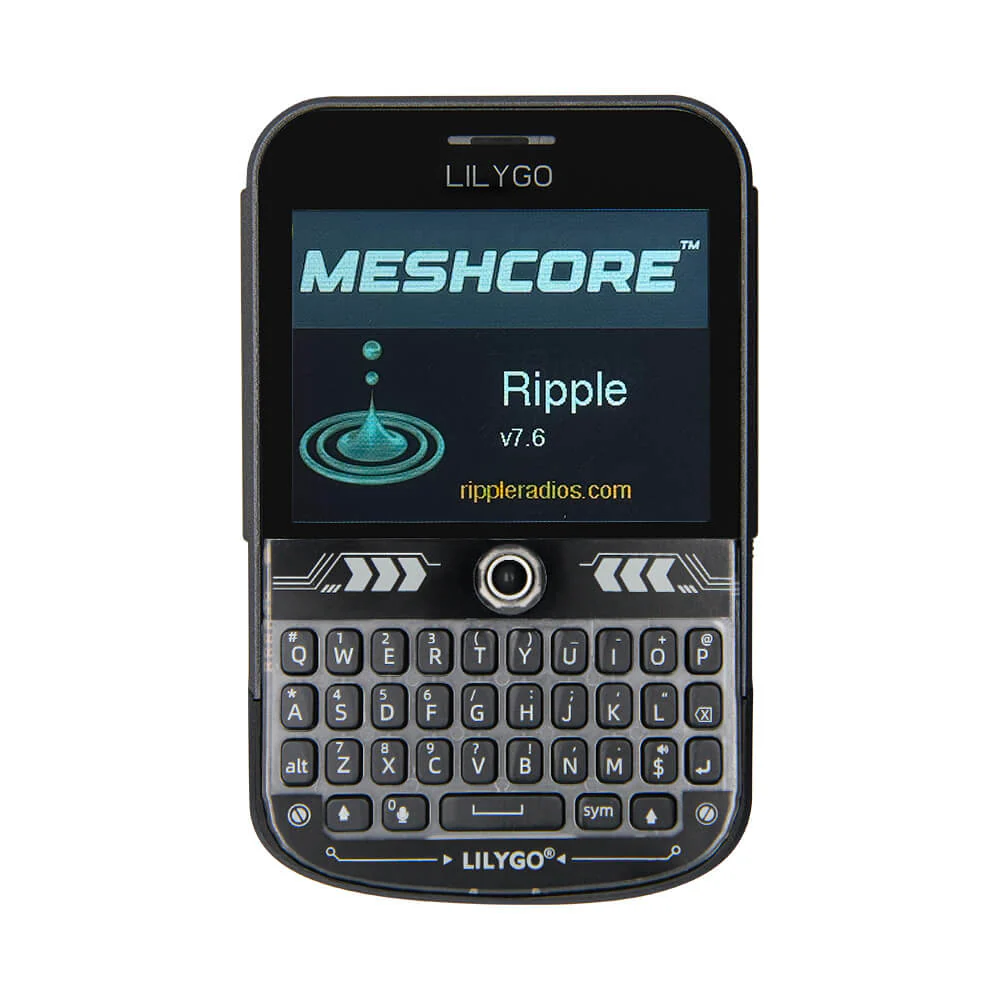
If you want a proper handheld rather than a radio board that leans on your phone, the LilyGo T-Deck Plus is one of the best MeshCore devices you can buy.
The T-Deck Plus feels much closer to a dedicated off-grid communicator than a development board. You get a physical keyboard, built-in battery, GPS, and a form factor that makes far more sense for day-to-day carrying and standalone use.
That changes the whole experience. Instead of thinking about how to mount a board, what battery to use, or how much you want to rely on your phone, you are using something that already feels much closer to a complete handheld. For a lot of people, that makes MeshCore far more appealing.
The T-Deck Plus suits anyone who wants MeshCore to feel practical from day one. It is not the cheapest way into the ecosystem, but it remains one of the most complete standalone options. The newer ThinkNode M9 is now a genuine alternative in the same no-phone category, so I would compare the two before buying rather than assuming the T-Deck Plus is the only serious handheld choice.
The main downside is cost. You are paying more than you would for a Heltec board, and if all you really want is a simple node to leave at home or pair with a phone, it is more hardware than you actually need.
LilyGo T-Deck Plus
A handheld MeshCore-friendly device with LoRa, keyboard, screen, GPS, speaker, microphone and built-in battery.
Buy this if: you want a true standalone handheld with a keyboard and less dependence on a phone.
Skip this if: you only need a cheap node or a simple companion radio.
LilyGo T-Beam: best for GPS builds
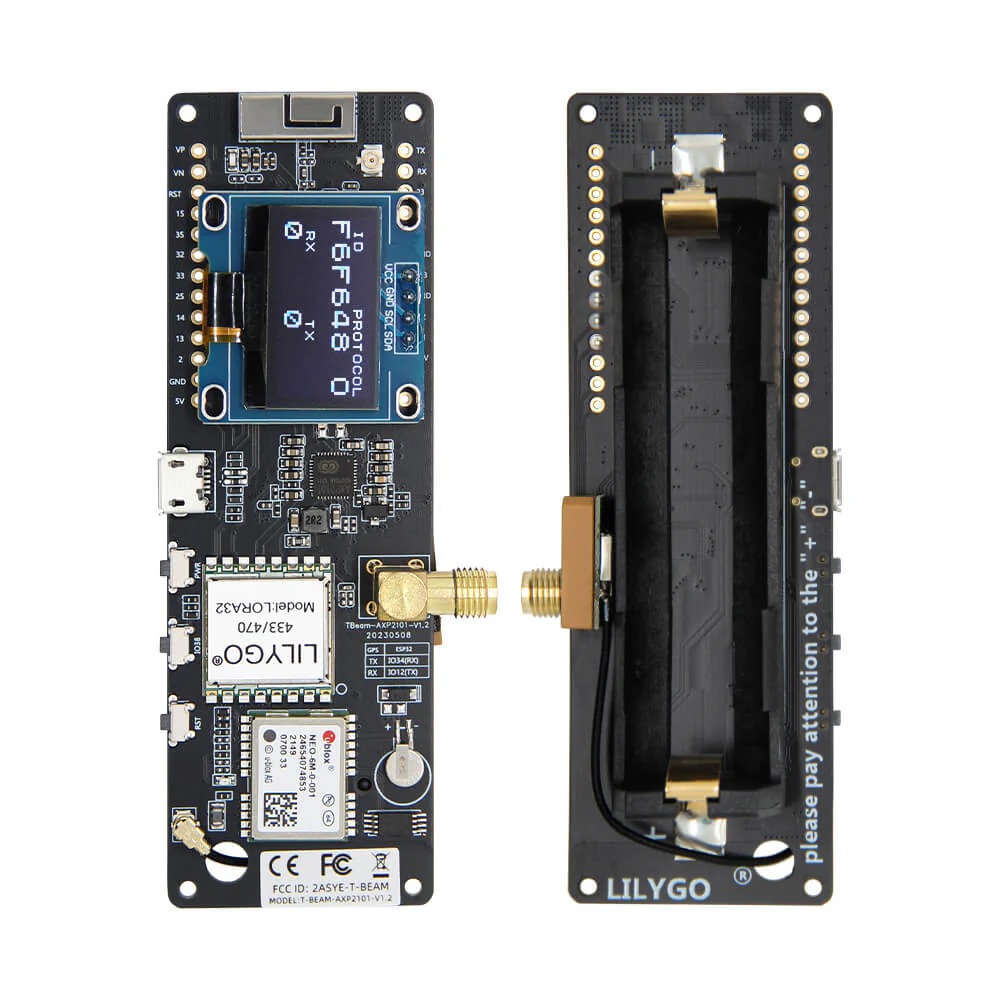
If GPS matters, the LilyGo T-Beam remains one of the most practical boards in the MeshCore ecosystem.
For a GPS-capable DIY build, especially for vehicle use, field testing, or portable setups, the T-Beam is still a practical choice. It combines built-in GPS with a battery-friendly design and a board layout that has been popular in LoRa projects for years.
That combination is what makes it stand out. You are not trying to bolt tracking features onto a board that was never really aimed at that use. The T-Beam already makes sense as a portable or location-aware platform, which gives it a clear edge over more general-purpose boards when GPS is important.
I think it makes the most sense for readers who still like the DIY side of the hobby but want something more focused than a basic entry-level board. It is not as polished as an enclosed device, but it is more purpose-built than a generic board if tracking or mapping is part of the plan.
The compromise is that it still feels like a build platform rather than a finished product. If you want something that is neat, enclosed, and easy to throw in a bag without thinking about it, there are better options.
LilyGo T-Beam
A GPS-focused LoRa board that works well for portable MeshCore nodes, tracking-style builds and battery-powered testing.
Buy this if: you want GPS and like the idea of a flexible DIY board for mobile or field use.
Skip this if: you want a finished handheld or enclosed tracker.
SenseCAP T1000-E: best enclosed tracker
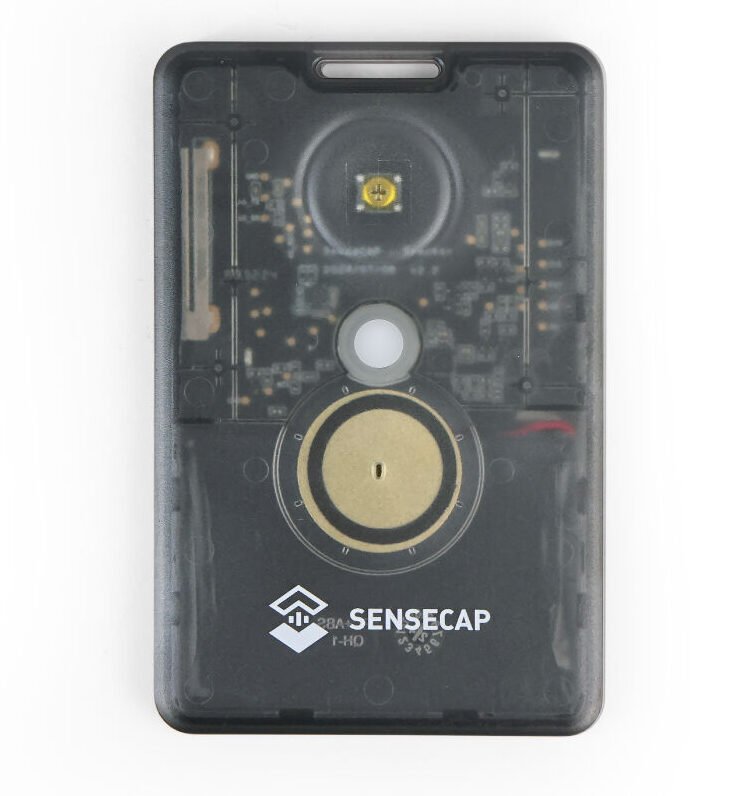
The SenseCAP T1000-E is one of the easiest recommendations for readers who do not want a bare board at all.
If the appeal of MeshCore is off-grid communication and tracking, but the idea of carrying around an exposed development board is not especially appealing, this is where I would look. The T1000-E is compact, enclosed, and much more polished than the typical board-based options. It is the kind of device that makes sense for someone who wants MeshCore hardware to feel simple and practical rather than experimental.
That is really the strength here. It does not ask much from the user. There is less mess, less need to build around it, and less need to treat it like a project. For many people, that is a big advantage.
It also works well for anyone who wants a tracker-style device that is easy to carry. Compared with something like a T-Beam, it gives up some flexibility, but it makes up for that with convenience and a much neater overall package.
The downside is that it is not the best option if you enjoy customising hardware or want a platform that can be adapted more freely. It is better thought of as a tidy dedicated device than a board for experimentation.
SenseCAP T1000-E
A slim ready-made MeshCore-friendly tracker with LoRa, GPS, Bluetooth, built-in battery, internal antennas and an IP65-rated case.
Buy this if: you want a compact enclosed MeshCore device that is easy to carry and easy to live with.
Skip this if: you want maximum flexibility for DIY builds.
RAK4631 WisBlock: best low-power modular MeshCore node
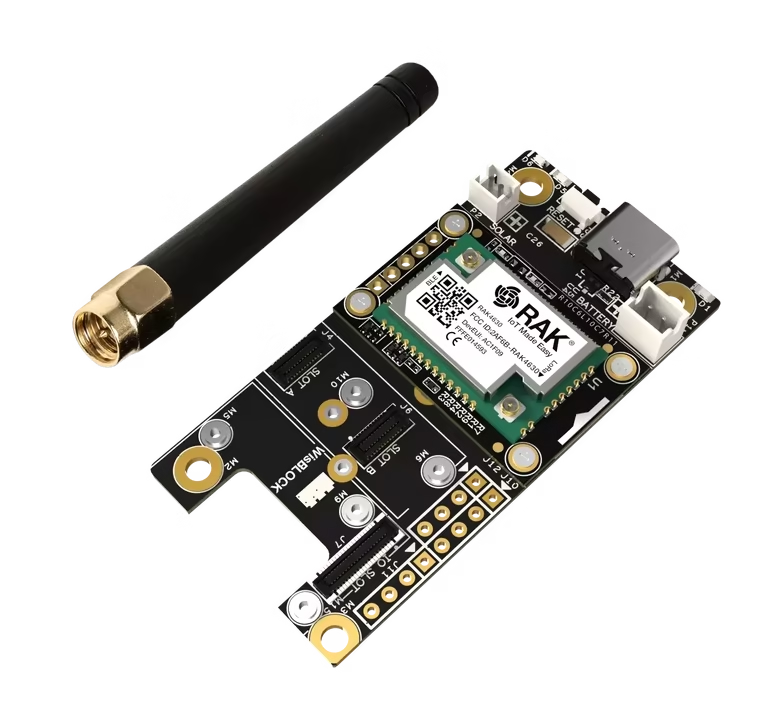
If battery life, modularity, and long-term flexibility matter most, RAK4631 WisBlock is one of the most attractive MeshCore options. The RAK4631 is the core module, so it still needs a compatible WisBlock base board before you have a complete node.
For a repeater, remote install, solar node, or any setup where power efficiency really matters, the RAK4631 is a strong fit. The WisBlock platform is more modular than a typical dev board and is well suited to low-power builds.
That matters because a lot of MeshCore projects eventually move beyond basic handheld use. Once you start thinking about a remote node, a solar setup, or something that needs to sit in place for long periods, low-power hardware becomes much more important. That is where WisBlock starts to pull ahead.
I also think WisBlock suits readers who already know they want a more serious long-term setup. It is not as cheap or as instantly beginner-friendly as a Heltec V3, but it gives you a cleaner path into more capable builds. It feels more like a platform you can build around properly rather than just a cheap board to experiment with.
The trade-off is that it is not the most straightforward starting point for absolute beginners. If you are just trying to learn the basics, the Heltec V3 is usually the easier place to begin.
RAK4631 WisBlock
A modular LoRa platform that works well if you want to build a more custom MeshCore device, sensor node or outdoor project.
Buy this if: you want low power, modularity, and a stronger platform for repeaters or remote nodes.
Skip this if: you want the simplest and cheapest entry point.
Station G2: best high-power MeshCore base station
If the goal is a serious fixed installation, the Station G2 sits in a very different category from the rest.
If you want to anchor coverage from a strong fixed location rather than carry the radio around, the Station G2 makes much more sense than a handheld or general-purpose starter board. It is a base-station style device aimed at fixed use.
The Station G2 is built around infrastructure rather than portability, so it makes far more sense as part of a coverage or backbone plan than as a first personal device.
For most people, this is not where I would start. It is more specialised, more powerful, and better suited to readers who already have a reason to build out a fixed MeshCore presence in a strong location.
It is also the kind of device where placement, antenna choice, and local rules matter even more than usual. That is true of any higher-power fixed radio, but it is especially worth keeping in mind here.
Availability varies by region and reseller, so check current stock before planning a fixed build around it.
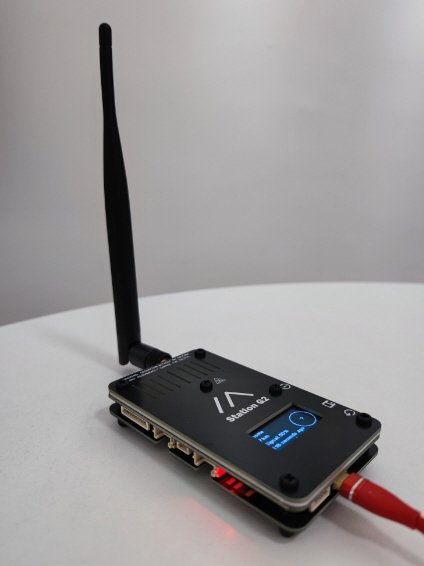
Buy this if: you want a serious fixed MeshCore base station and already know where it will fit into your setup.
Skip this if: you are just getting started or want something portable.
Other MeshCore devices worth considering in late 2026
MeshCore hardware has moved quickly in 2026, so there are now a few newer options that are worth checking alongside the main picks above.
ThinkNode M9 is the most relevant alternative to the T-Deck Plus if you want a standalone device rather than a phone-dependent companion radio. It combines a physical keyboard, display and GNSS in a finished handheld, so the T-Deck Plus is no longer the only serious no-phone option in this category.
Wio Tracker L1 Pro is worth a look if you want a more polished companion or tracking device without building around a bare development board. It is a newer ready-made option aimed at portable use, with integrated positioning and a finished enclosure.
SenseCAP Solar Node P1 Pro is much more specialised. It makes sense for a fixed outdoor MeshCore repeater where you want an integrated solar-powered package rather than designing the enclosure, charging and power system yourself.
WisMesh Tag fills a different niche again. It is a compact RAK-based companion device that is useful when low power and a small finished form factor matter more than having a keyboard or large display.
The older LilyGo T-Echo and Heltec T114 are still worth considering for low-power builds, but I would now compare them against these newer devices rather than treating them as the main alternatives by default.
Which MeshCore device should you actually buy?
Start with the role, then use the comparison table above to narrow it down. The Heltec V3 still makes sense as a low-cost first node, while the V4 and RAK4631 suit more permanent repeater or low-power builds. For standalone use, compare the T-Deck Plus with newer handhelds such as the ThinkNode M9. GPS-heavy DIY builds still suit the T-Beam, while the T1000-E is the cleaner option if you want a finished tracker.
Once you know whether the device will be a companion, standalone handheld, tracker, repeater or fixed base station, the shortlist gets much easier.
Some of the links in this post may be affiliate links. If you buy through them, I may earn a small commission at no extra cost to you.