
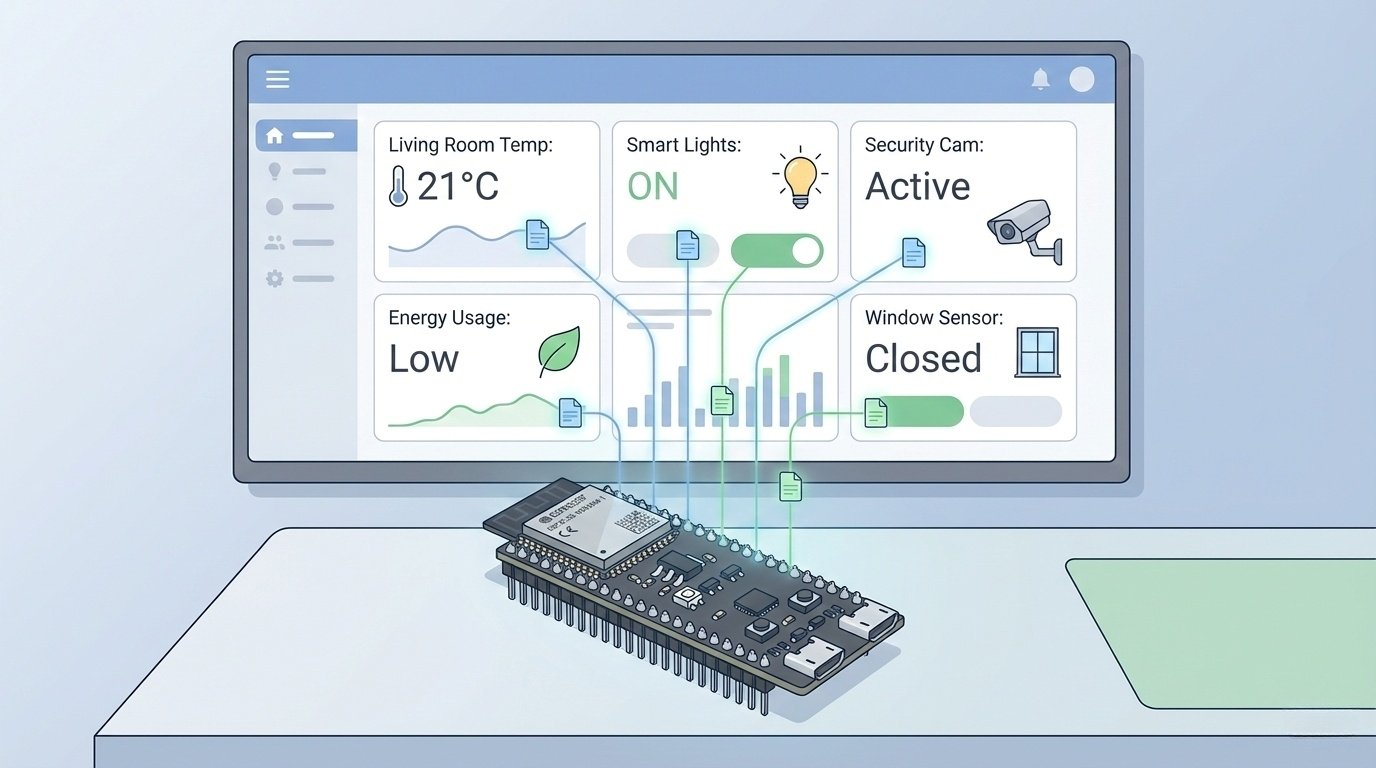
Ever built a “simple” ESP32 project that almost works, until you add a screen, camera, audio, or a pile of sensors? Suddenly you are fighting memory limits, flaky uploads, and resets that only show up once you think you are done.
That is where the ESP32-S3 earns its keep. It is not the cheapest ESP32, and it is not the best pick for every smart home node. But if you need more headroom plus better USB options, it is often the least painful way forward.
Quick summary
Best for
- Displays and LVGL dashboards
- Camera capture, snapshots, low-rate streaming
- Audio and voice-adjacent work (buffer-heavy DSP)
- USB device projects (HID, USB tools)
- Busy nodes doing multiple things at once
Not ideal for
- Ultra-low-power battery nodes on typical dev boards (board design dominates sleep current)
- Matter, Thread, and Zigbee plans (no 802.15.4 radio)
- Bluetooth Classic requirements
If you only remember one thing
If the project touches a display, camera, or audio, buy an S3 board with PSRAM. If you want Thread or Zigbee, buy a C6 instead.
You can pick up an ESP32-S3 here.
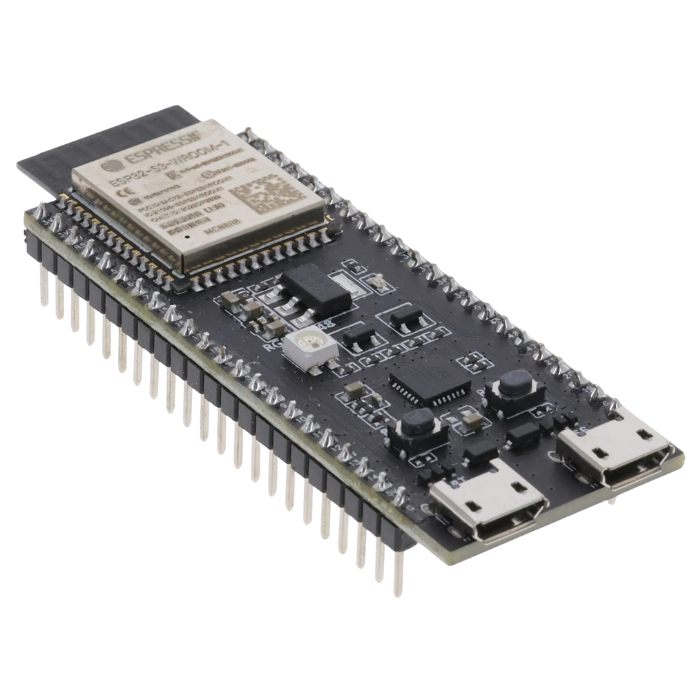
Some of the links in this post may be affiliate links. If you buy through them, I may earn a small commission at no extra cost to you.
The simple decision shortcut
- Display, camera, or audio involved: ESP32-S3 with PSRAM
- Thread or Zigbee on the roadmap: ESP32-C6
- Bluetooth Classic required: classic ESP32
- Lots of cheap Wi-Fi plus BLE nodes: ESP32-C3
- USB device project and you do not need BLE: ESP32-S2
What the ESP32-S3 actually is
The ESP32-S3 is the heavier-workload option in the ESP32 family for maker builds. It keeps the usual strengths, including Wi-Fi and a huge library ecosystem, and adds two things that change how projects behave:
- Native USB on the chip (often nicer development and enables USB device builds)
- Common variants with PSRAM (critical for UI, camera, and audio buffering)
The three things that cause most pain
If a bigger build is unstable, it is usually one of these:
- No PSRAM, or PSRAM not detected or configured correctly
- Confusing USB implementation on the board (native USB vs USB to UART bridge vs both)
- Power problems (weak regulator, poor cable, not enough capacitance, backlight or amp loads)
Features that matter in real projects
Dual-core headroom
It matters when workloads stack up: LVGL needs constant attention, Wi-Fi has bursts, sensors need polling and filtering, and logging can block. The S3 gives you more room before everything becomes fragile.
Reality check: dual-core does not fix blocking code or sloppy memory use. It just raises the ceiling.
Wi-Fi plus BLE
For most smart home builds, Wi-Fi plus BLE is exactly what you want. Where it is the wrong tool is Thread, Zigbee, and Matter plans. The S3 does not have the 802.15.4 radio used for Thread and Zigbee.
Native USB
On boards that expose it clearly, native USB can simplify flashing and debugging, and it enables USB device projects like macro pads and USB serial tools. On boards with multiple USB paths, it can also cause confusion, so confirm the USB setup before buying if USB is part of your goal.
PSRAM
For UI, camera, or audio, PSRAM is often the whole reason to choose the S3.
In practice PSRAM is for:
- Framebuffers, fonts, icons, and widget memory in LVGL
- Camera frame buffers
- Audio ring buffers and feature extraction buffers
- Larger logging buffers so timing stays stable
Purchase rule: if PSRAM is not clearly listed, assume it is not there.
Common failure pattern: the sketch boots fine, then the moment you load assets, enable the camera, or increase buffers, you get watchdog resets, random crashes, or memory errors. That is usually memory pressure or PSRAM not actually being used.
Recommended minimum configs
- Simple ESPHome sensor or relay: flash 4 MB or more, PSRAM not required, prioritize clean power and a reliable upload path
- Display or LVGL UI: flash 8 to 16 MB, PSRAM 8 MB preferred, prioritize stable power and usable GPIO
- Camera: flash 16 MB preferred, PSRAM 8 to 16 MB strongly recommended, prioritize proven pin mapping and power stability
- Audio: flash 8 to 16 MB, PSRAM 8 MB recommended, prioritize clean I2S front-end and stable power
ESP32 family comparison
| Chip | Best for | Choose it when | Avoid it when | Typical gotchas |
|---|---|---|---|---|
| ESP32 (classic) | General purpose plus Bluetooth Classic | You need Classic BT profiles or legacy examples | You want native USB device work or predictable memory | Board variants differ a lot in RAM and flash; USB is usually via UART bridge |
| ESP32-S2 | USB device plus Wi-Fi | You want USB device features and do not need BLE | You need BLE or more CPU headroom | No BLE; single-core; less comfortable for stacked workloads |
| ESP32-S3 | UI, camera, audio, USB, PSRAM variants | You need buffers, smoother UI, camera, audio, or USB device builds | You need Thread or Zigbee, or Bluetooth Classic | PSRAM not guaranteed; dual USB paths can confuse uploads; power issues show up under backlight and radio bursts |
| ESP32-C3 | Cheap Wi-Fi plus BLE nodes | You are building lots of simple sensors and relays | You want comfortable LVGL, camera, or audio | Less headroom; you hit memory and performance limits sooner |
| ESP32-C6 | Thread and Zigbee roadmap plus modern Wi-Fi | Matter, Thread, or Zigbee is part of the plan | Your main challenge is buffering for UI, camera, or audio | Not as buffer-friendly as S3; library maturity varies by project |
Projects where the S3 shines
1. Displays and LVGL dashboards
If you want a responsive UI with real assets, the S3 plus PSRAM makes it far easier to keep the UI smooth while Wi-Fi and sensors do their thing.
Common failure: it runs fine until you add fonts and icons, then it freezes or crashes after a few minutes. That is usually PSRAM missing, not used, or heap fragmentation from frequent allocations.
2. Camera and image work
Camera buffers are large and unforgiving. With PSRAM you can do snapshots and simple streaming without constant collapse.
Common failure: single snapshots work, but streaming dies when you raise frame rate. That is buffer pressure, not Wi-Fi.
3. Audio and voice-adjacent
Audio is mostly buffers and timing. The S3 helps, but only if your power and I2S front-end are clean.
Common failure: it stutters or resets when radio activity ramps up. That is usually buffer sizing, task priorities, or power sag.
4. USB device builds
If you want a macro pad, HID controller, or USB serial tool, the S3 is a natural fit when the board exposes native USB properly.
ESP32-S3 Board buying guide
- PSRAM confirmed, and size stated (2, 8, 16 MB)
- Flash size stated (4, 8, 16 MB)
- USB implementation documented (native USB, USB Serial JTAG, and whether a UART bridge exists)
- Power design that can handle Wi-Fi plus peripherals (good regulator, good layout)
- Enough usable GPIO after onboard peripherals
Avoid:
- Listings that say S3 but do not mention PSRAM at all
- Boards with two USB paths and no clear guidance on which port to use
- Boards aimed at displays that do not describe backlight power requirements
Three board archetypes:
- General-purpose S3: clear PSRAM and flash, one well-documented USB path, decent regulator
- Display-first board: great UI support, fewer free GPIO, backlight load can be a power trap
- Tiny S3 board: compact, often poor deep sleep because of LEDs, bridge chips, and regulator quiescent current
PSRAM verification checklist
- Confirm PSRAM is detected consistently at boot
- Confirm your framework is actually using PSRAM for large buffers
- If you see “PSRAM not found” or instability under load, treat it as configuration or hardware first, not a mystery bug
A quick practical check: log free heap before and after you initialize LVGL, camera, or audio buffers. If memory collapses or crashes appear immediately, you likely do not have working PSRAM.
Power and reliability
Sleep mode expectations
The S3 can sleep well, but dev boards often do not. If battery life is critical, choose a low-power board or a minimal module-based design.
Brownouts and “random resets”
Most “random” resets are power.
Symptoms:
- Resets when Wi-Fi connects or transmits
- Resets when backlight or amp turns on
- Problems that go away with a shorter cable
- Stable on bench, unstable in enclosure
Fixes:
- Use a stable 5V supply and a known-good data cable
- Add bulk capacitance near the board and high-load peripherals
- If powering from 3.3V, ensure the regulator can handle Wi-Fi burst current
- Do not run S3 and backlight or amp from a weak shared 3.3V rail
Debug: run the same firmware with Wi-Fi disabled. If resets vanish, suspect supply droop.
ESPHome, Arduino, PlatformIO, ESP-IDF
- ESPHome: great for sensors, relays, BLE tasks, and fast Home Assistant integration. Not great for heavy LVGL, camera streaming, or USB device modes
- Arduino: fast prototypes and validation
- PlatformIO: clean builds and serious maker projects
- ESP-IDF: full control and deeper USB features
Wi-Fi plus tiny web server starter code
Use this baseline to validate board, power, and upload path before adding complexity.
/*
  ESP32-S3: Wi-Fi + Web Server starter

  What it does:
  - Connects to Wi-Fi
  - Hosts a simple web server:
      GET / returns a status page
      GET /toggle toggles an LED (if configured)
*/

#include <WiFi.h>
#include <WebServer.h>

const char* WIFI_SSID = "YOUR_WIFI_NAME";
const char* WIFI_PASS = "YOUR_WIFI_PASSWORD";

#ifndef LED_BUILTIN
  const int LED_PIN = -1;   // Set to a real GPIO if you have an LED wired
#else
  const int LED_PIN = LED_BUILTIN;
#endif

WebServer server(80);
bool ledState = false;

String htmlPage() {
  String ip = WiFi.isConnected() ? WiFi.localIP().toString() : "not connected";

  String s;
  s += "<!doctype html><html><head><meta name='viewport' content='width=device-width, initial-scale=1'>";
  s += "<title>ESP32-S3 Status</title></head><body style='font-family: sans-serif;'>";
  s += "<h2>ESP32-S3 Status</h2>";
  s += "<p><b>Wi-Fi:</b> " + String(WiFi.isConnected() ? "connected" : "disconnected") + "</p>";
  s += "<p><b>IP:</b> " + ip + "</p>";
  s += "<p><b>RSSI:</b> " + String(WiFi.RSSI()) + " dBm</p>";
  s += "<p><b>Uptime:</b> " + String(millis() / 1000) + " s</p>";
  s += "<p><b>Free heap:</b> " + String(ESP.getFreeHeap()) + " bytes</p>";

  if (LED_PIN >= 0) {
    s += "<p><b>LED:</b> " + String(ledState ? "ON" : "OFF") + " ";
    s += "<a href='/toggle'>Toggle</a></p>";
  } else {
    s += "<p><i>No LED configured.</i></p>";
  }

  s += "</body></html>";
  return s;
}

void handleRoot() {
  server.send(200, "text/html", htmlPage());
}

void handleToggle() {
  if (LED_PIN >= 0) {
    ledState = !ledState;
    digitalWrite(LED_PIN, ledState ? HIGH : LOW);
  }
  server.sendHeader("Location", "/");
  server.send(302, "text/plain", "Redirecting");
}

void connectWifi() {
  WiFi.mode(WIFI_STA);
  WiFi.begin(WIFI_SSID, WIFI_PASS);

  Serial.print("Connecting to Wi-Fi");
  unsigned long start = millis();

  while (WiFi.status() != WL_CONNECTED && (millis() - start) < 20000) {
    delay(250);
    Serial.print(".");
  }

  Serial.println();
  if (WiFi.status() == WL_CONNECTED) {
    Serial.print("Connected. IP: ");
    Serial.println(WiFi.localIP());
  } else {
    Serial.println("Wi-Fi failed (timeout).");
  }
}

void setup() {
  Serial.begin(115200);
  delay(200);

  if (LED_PIN >= 0) {
    pinMode(LED_PIN, OUTPUT);
    digitalWrite(LED_PIN, LOW);
  }

  connectWifi();

  server.on("/", handleRoot);
  server.on("/toggle", handleToggle);
  server.begin();

  Serial.println("Web server started on port 80");
}

void loop() {
  server.handleClient();
}
Troubleshooting
Upload fails or port disappears:
- Use a known-good data cable
- Try the other USB port if the board has two
- Use BOOT plus RESET to recover
- Confirm you selected the correct port type for your board
Only boots when something is unplugged:
- Suspect boot-sensitive pins
- Move the peripheral or fix pull resistors
Random resets when Wi-Fi starts:
- Treat it as power
- Use a better supply and cable
- Reduce backlight or amp load
- Add bulk capacitance near high-load hardware
- Test with Wi-Fi disabled to confirm supply droop
Conclusion
Pick the ESP32-S3 when the build starts looking like a small embedded computer: a display, camera, audio, heavy buffering, or a device doing multiple jobs at once. It is often the first ESP32 that stops feeling fragile.
Pick something else when the requirements point that way:
- Thread, Zigbee, Matter roadmap: ESP32-C6
- Bluetooth Classic required: classic ESP32
- Lots of cheap simple nodes: ESP32-C3
- Battery life dominates: choose a low-power board or a minimal module-based design
ESP32-S3 FAQs
Is ESP32-S3 better than a regular ESP32?
It depends. The S3 is better for displays, cameras, audio, and USB device work. For simple nodes, cheaper options are usually enough.
Do all ESP32-S3 boards have PSRAM?
No. PSRAM depends on the module and board variant. If you need PSRAM, confirm it before buying.
How much PSRAM is enough?
For UI, camera, and audio, 8 MB is a solid baseline. Some projects benefit from 16 MB.
Is ESP32-S3 good for ESPHome?
Yes for typical smart home nodes. For heavy UI, camera streaming, or USB device modes, custom firmware is usually a better fit.
Can ESP32-S3 do Thread or Zigbee?
Not natively. Use ESP32-C6 if Thread or Zigbee is part of the plan.
Why does my S3 reset when Wi-Fi connects?
Usually power droop from weak supplies, bad cables, or insufficient capacitance.