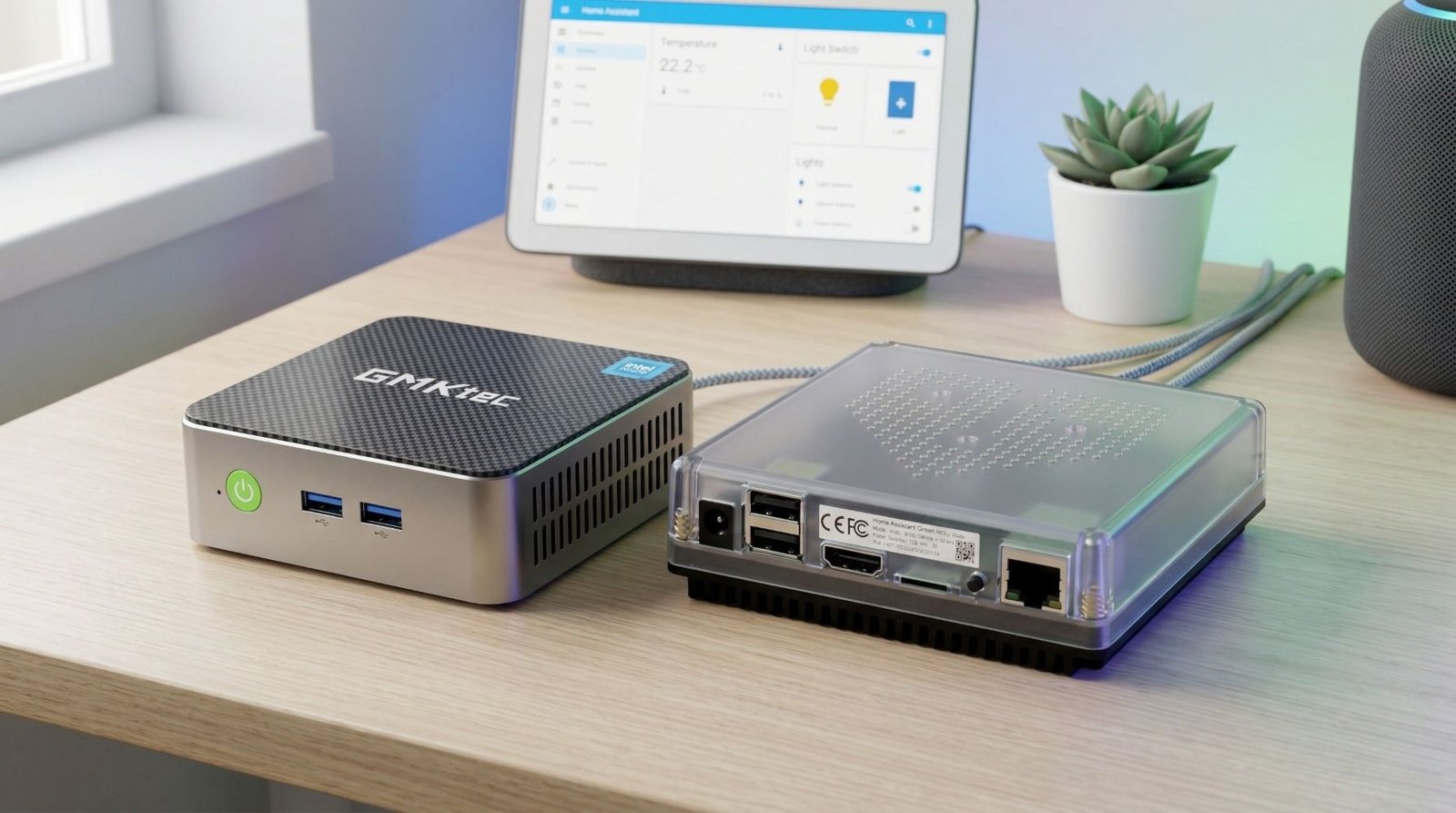
You do not need a powerful computer to run Home Assistant.
For a dedicated Home Assistant OS installation, even a basic Intel N100 or N150 mini PC is already more than capable. The bigger reasons to choose one machine over another are its storage, USB ports, networking, noise and how easy it will be to live with for the next few years.
I have run Home Assistant on a Raspberry Pi 4 and on several x86 machines. The move to a mini PC was not exciting because dashboards suddenly loaded twice as fast. It was better because I had proper SSD storage, more USB ports, easier backups and enough headroom to add integrations without thinking about the hardware every time.
For most people, my pick is the GMKtec G3 Plus. The Beelink S12 Pro remains the better budget choice, while the CWWK and MINIX machines are aimed at people with more specialised requirements.
Home Assistant OS officially supports generic x86-64 hardware. The main BIOS requirements are that the computer can boot using UEFI and that Secure Boot can be disabled.
Quick answer
- Best overall: GMKtec G3 Plus
- Best budget option: Beelink S12 Pro
- Best newer budget option: Beelink Mini S13
- Best fanless option for power users: CWWK Fanless 4x 2.5GbE Mini PC
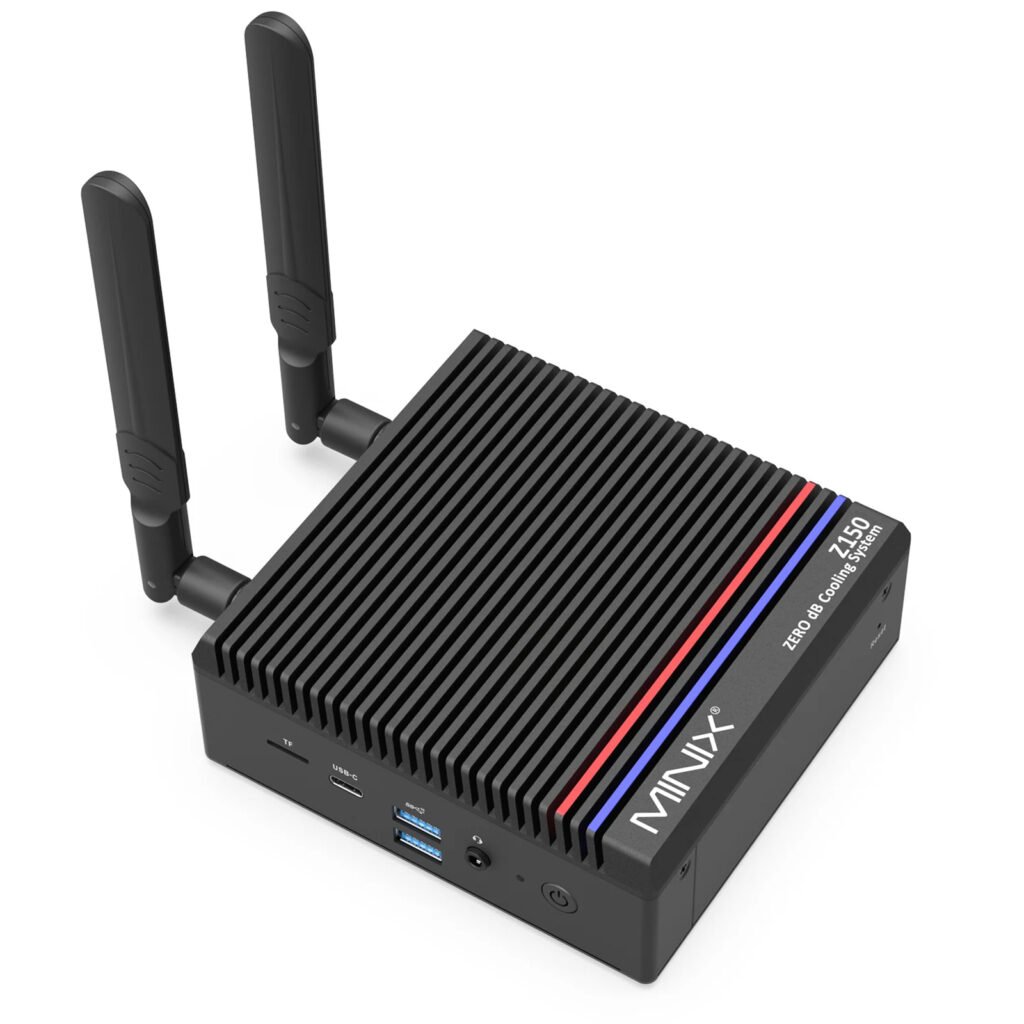
- Best premium fanless option: MINIX Z300-0dB
Mini PC comparison
| Model | Processor | Memory | Storage | Ethernet | Best for |
|---|---|---|---|---|---|
| GMKtec G3 Plus | Intel N150 | Up to 32 GB DDR4 | M.2 2280 NVMe plus M.2 2242 expansion | 1 x 2.5GbE | Best overall Home Assistant mini PC |
| Beelink S12 Pro | Intel N100 | Commonly 16 GB DDR4 | Commonly 500 GB M.2 SSD | 1 x Gigabit Ethernet | Cheapest straightforward HAOS machine |
| Beelink Mini S13 | Intel N150 | Commonly 16 GB DDR4 | Commonly 500 GB M.2 SSD | 1 x Gigabit Ethernet | Buyers wanting a newer budget model |
| CWWK Fanless Mini PC | N100, N150, N305 or N355 | Varies by configuration | Varies by configuration | 4 x Intel i226-V 2.5GbE | Proxmox, networking and homelab use |
| MINIX Z300-0dB | Intel N300 | Up to 32 GB DDR4 | M.2 PCIe NVMe SSD | 1 x 2.5GbE | Premium silent installation |
Specifications can vary between sellers and configurations. Always check the selected processor, memory, SSD and power plug before ordering.
The best mini PCs for Home Assistant
1. GMKtec G3 Plus
The best mini PC for Home Assistant for most people
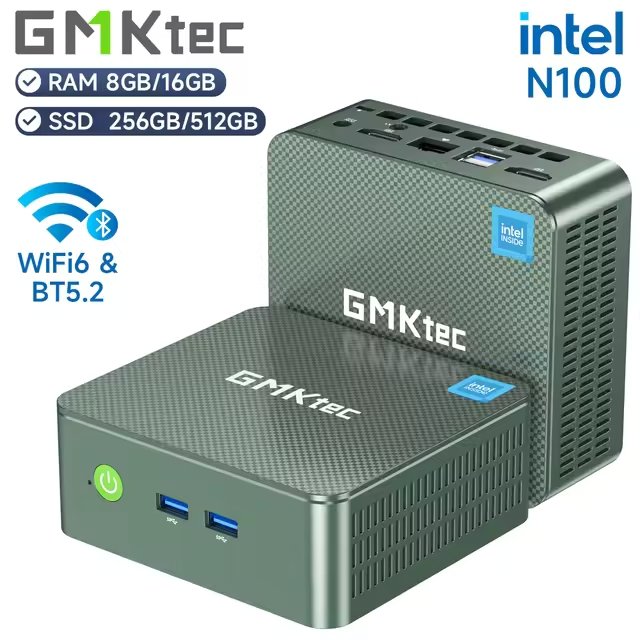
The GMKtec G3 Plus is the machine I would look at first for a new Home Assistant setup.
It uses an Intel N150 processor and supports up to 32 GB of DDR4 memory. More importantly, it has 2.5GbE networking, an M.2 2280 NVMe slot and an additional M.2 2242 storage slot.
Home Assistant does not need 32 GB of RAM or 2.5GbE to run well. Those features are useful because they stop the machine from feeling limiting if your setup grows. The second storage slot could be used for additional local storage, backups or another service if you eventually move away from a dedicated HAOS installation.
The N150 is a four-core, four-thread processor with a 6 W processor base power rating. That does not mean the entire mini PC will only consume 6 W at the wall, but it does put the G3 Plus in the right class for a machine that will remain powered on all day.
The main drawback is the brand itself. GMKtec does not have the same support reputation as a major PC manufacturer, and I would not buy it expecting enterprise-level BIOS updates or warranty service.
For a normal Home Assistant installation, though, the hardware is difficult to fault. It has enough performance, useful storage options and better networking than many similarly priced machines.
What I like
- Intel N150 processor
- 2.5GbE networking
- Support for up to 32 GB of DDR4 memory
- Two internal storage positions
- Small enough to mount out of the way
- Enough performance for HAOS and normal add-ons
What to consider
- Support may be slower or less predictable than with a larger manufacturer
- The extra storage slot is not essential for a basic HAOS installation
- Seller configurations may differ
Best for: Someone building a dedicated Home Assistant machine who wants a little extra flexibility for future expansion.
GMKtec G3 Plus
A compact Intel N150 mini PC that gives Home Assistant plenty of room to grow, especially if you want to run HA OS, Proxmox, add-ons and extra services.
2. Beelink S12 Pro
The best budget mini PC for Home Assistant
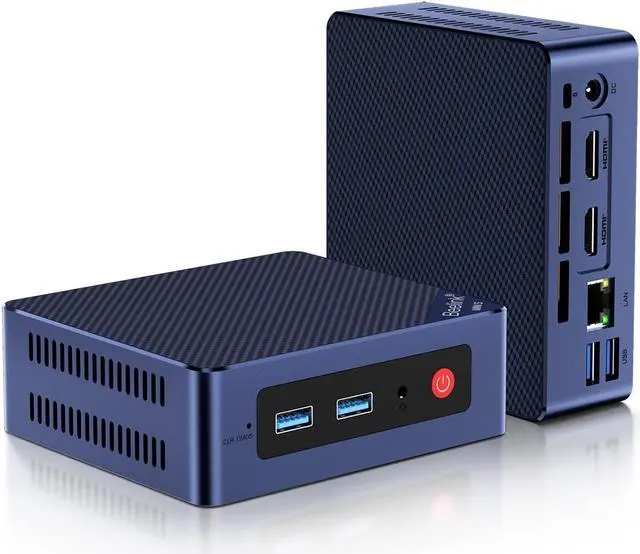
The Beelink S12 Pro is no longer the newest machine in this list, but it is still one of the easiest to recommend.
The common configuration includes an Intel N100 processor, 16 GB of DDR4 memory and a 500 GB SSD. That is already far more storage and memory than a typical Home Assistant OS installation needs.
The N100 is also a four-core, four-thread processor. It has been used in a huge number of inexpensive mini PCs, small servers and firewall appliances, so it is no longer an unknown platform.
There is nothing particularly exciting about the S12 Pro, and that is part of its appeal. You can install HAOS, connect your Ethernet cable and USB radios, and leave it alone.
It only has Gigabit Ethernet rather than 2.5GbE, but that should not affect a dedicated Home Assistant machine. Home Assistant itself does not produce enough network traffic for the faster port to make a noticeable difference.
The S12 Pro also usually arrives with enough memory and storage already installed, which makes it a better option for someone who does not want to buy parts separately.
Its biggest weakness is expansion. Compared with the GMKtec, there is less reason to choose it for a growing home server or a more ambitious Proxmox installation. As a cheap HAOS box, however, it does the job.
What I like
- Usually one of the cheaper complete systems
- Intel N100 is easily powerful enough for HAOS
- Commonly supplied with 16 GB RAM and a 500 GB SSD
- Beelink is a well-known name in the mini-PC market
- Straightforward hardware for a dedicated installation
What to consider
- Older processor than the N150 models
- Gigabit Ethernet only
- Less internal expansion than the GMKtec
- Pricing varies enough that it is worth comparing it with the Mini S13
Best for: Someone who wants a low-cost Home Assistant server with memory and storage already fitted.
Beelink S12 Pro
A popular Intel N100 mini PC with 16 GB RAM and SSD storage, making it a solid all-round choice for Home Assistant.
3. Beelink Mini S13
A newer budget alternative to the S12 Pro
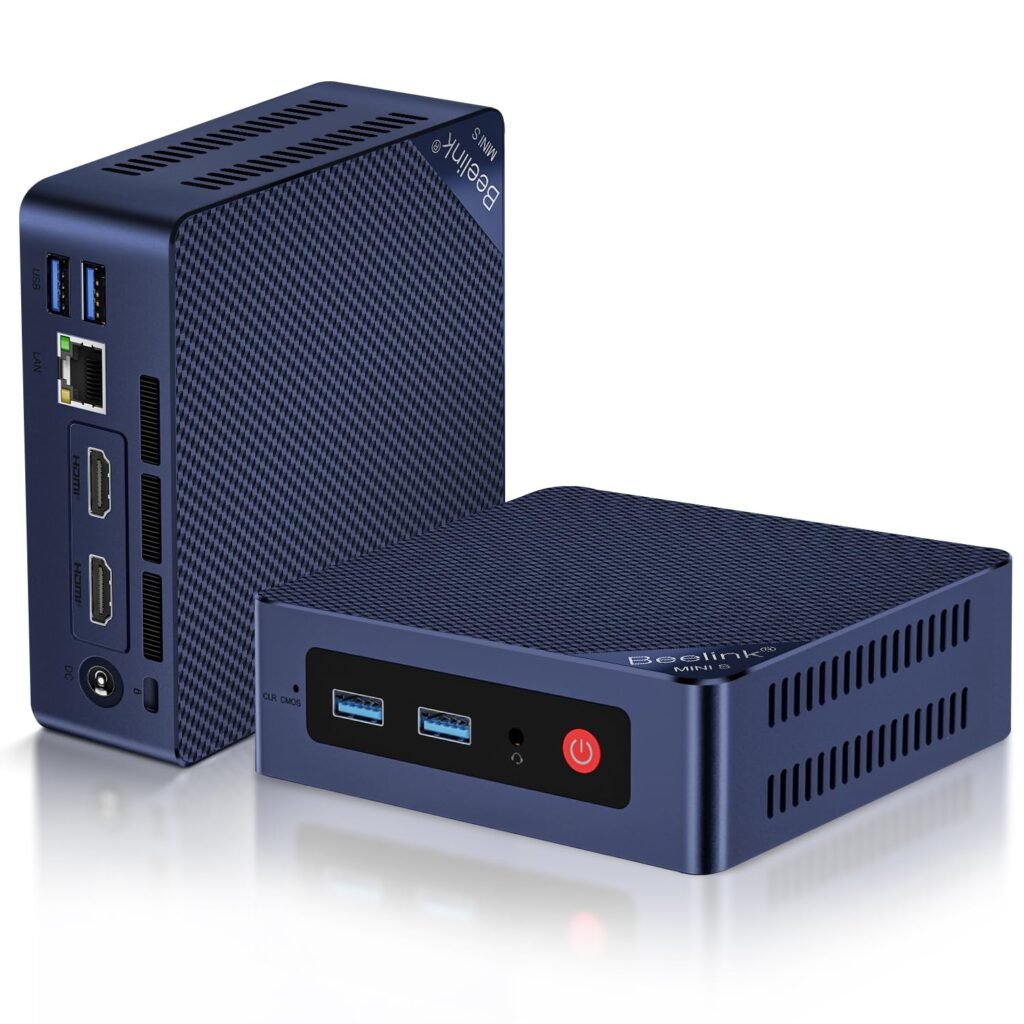
The Beelink Mini S13 fills the small gap between the older S12 Pro and the more flexible GMKtec G3 Plus.
It is commonly sold with an Intel N150 processor, 16 GB of DDR4 memory and a 500 GB SSD. That configuration is more than enough for Home Assistant OS and its usual add-ons.
The N150 is not a dramatic upgrade over the N100. Both are four-core, four-thread processors aimed at low-power systems. You should not replace a working N100 machine just to gain an N150.
For someone buying new, however, the Mini S13 may be worth choosing when it costs about the same as the S12 Pro. You get the newer processor without moving into a much more expensive class of mini PC.
I would still treat this as a dedicated Home Assistant machine rather than a serious virtualisation server. It can run Proxmox, but its greatest strength is being a small, inexpensive and uncomplicated x86 box.
What I like
- Newer Intel N150 processor
- Commonly available with 16 GB RAM and a 500 GB SSD
- Compact and easy to mount
- Enough performance for Home Assistant and normal add-ons
- Often priced close to the older S12 Pro
What to consider
- Not a major performance jump over the N100
- Gigabit Ethernet rather than 2.5GbE
- Limited reason to choose it over the GMKtec if prices are close
Best for: Someone who wants a newer budget mini PC and finds it at a similar price to the S12 Pro.
Beelink Mini S13
A newer Intel N150 mini PC that gives Home Assistant plenty of headroom while staying small, quiet and low-power.
4. CWWK Fanless 4 x 2.5GbE Mini PC
The best fanless option for Proxmox and broader homelab use
The CWWK is not really competing with the Beelink and GMKtec machines.
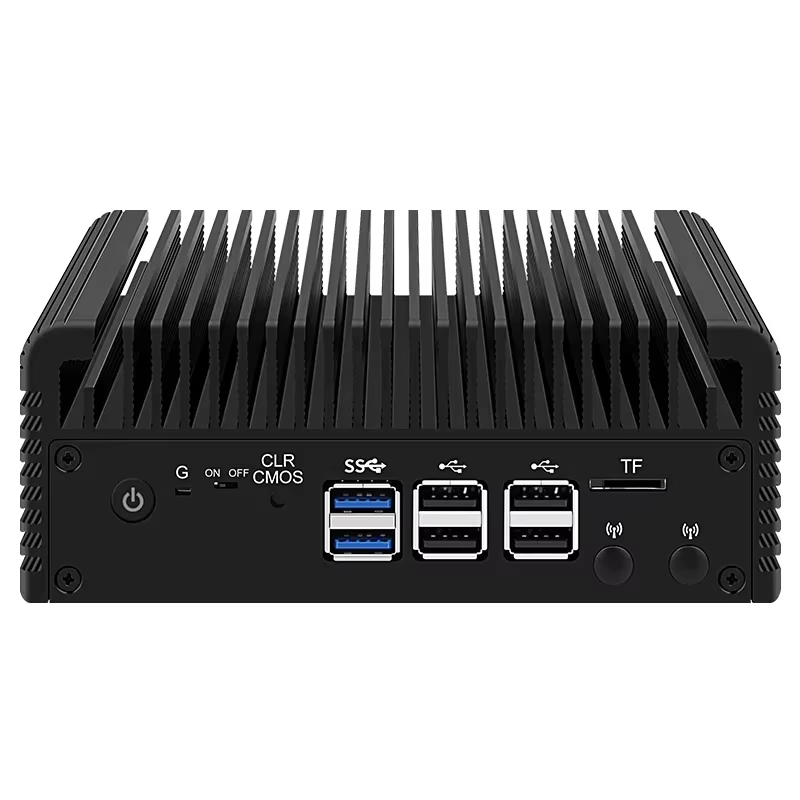
It looks and behaves more like a small firewall appliance. Depending on the configuration, it can be ordered with an Intel N100, N150, N305 or N355 processor, DDR5 memory and four Intel i226-V 2.5GbE network ports.
For Home Assistant alone, most of that hardware will sit unused.
You do not need four Ethernet ports to run HAOS. You do not need to turn your Home Assistant server into a router, and buying additional networking hardware does not automatically make the system more reliable.
The CWWK becomes interesting when Home Assistant is only one part of the job.
For example, you may want to install Proxmox and run Home Assistant in one virtual machine alongside a firewall, DNS server, Docker host or other self-hosted services. In that situation, the extra network ports and fanless enclosure have a real purpose.
Passive cooling also means there is no small fan collecting dust or becoming noisy over time. That can be useful when the machine will live in an office, bedroom or quiet equipment cabinet.
The trade-off is that these appliance-style systems can involve more tinkering. BIOS quality, cooling and seller support can vary, and the large number of configurations makes it easier to order the wrong version.
Buy the CWWK because you need its networking and fanless design, not simply because it has the longest specification list.
What I like
- Completely fanless operation
- Four 2.5GbE Ethernet ports
- Several processor options
- Well suited to Proxmox and networking projects
- Metal enclosure designed for passive cooling
- More versatile than a standard office mini PC
What to consider
- Overkill for a dedicated Home Assistant installation
- More expensive configurations can quickly move into proper server territory
- Seller support and BIOS quality may vary
- You need to carefully check the selected processor, RAM and storage
- More setup knowledge may be required
Best for: Someone who wants Home Assistant to share a fanless Proxmox machine with networking or other self-hosted services.
CWWK Fanless 4x 2.5GbE Mini PC
A fanless mini PC with multiple 2.5GbE ports, making it a strong Home Assistant option if you also want to run Proxmox, a router/firewall VM or more advanced networking.
5. MINIX Z300-0dB
The nicest fanless machine here, but difficult to justify for HAOS alone
The MINIX Z300-0dB is probably the most polished mini PC in this comparison.
It uses an eight-core Intel N300 processor, supports up to 32 GB of DDR4 memory, includes M.2 PCIe NVMe storage and has a 2.5GbE Ethernet port. The aluminium enclosure is completely fanless, so the machine operates silently.
It is excellent hardware. The problem is that a standard Home Assistant OS installation will use very little of what you are paying for.
An N100 or N150 machine can already run Home Assistant, its database and normal add-ons comfortably. Moving to an eight-core N300 will not transform the dashboard or make a basic automation noticeably faster.
The extra performance becomes more relevant when you are running heavier databases, numerous add-ons or services outside Home Assistant. The fanless enclosure is also worth paying for when the machine must be completely silent.
MINIX has put more effort into the enclosure, cooling and overall presentation than the cheaper brands. That may matter if the machine will sit on a desk rather than being hidden in a cabinet.
For value alone, it ranks last. For build quality and silence, it may be the best option here.
What I like
- Completely silent fanless design
- Eight-core Intel N300 processor
- 2.5GbE networking
- Memory can be upgraded to 32 GB
- NVMe SSD storage
- More refined enclosure than most budget mini PCs
- Useful selection of USB ports
What to consider
- Considerably more performance than HAOS normally needs
- You are paying for silence and construction quality
- Poorer value for a simple dedicated Home Assistant server
- Larger and heavier than the cheaper plastic mini PCs
Best for: A noise-sensitive room, a large Home Assistant installation or someone who wants a premium fanless machine for additional workloads.
MINIX Z300-0dB
A premium fanless Intel N300 mini PC for Home Assistant users who want complete silence, plenty of processing headroom, NVMe SSD storage and 2.5GbE networking.
What hardware does Home Assistant actually need?
Home Assistant itself has modest requirements. If you are still deciding what type of machine to start with, my Home Assistant hardware guide for beginners compares the main options.
You can run it on hardware far less powerful than every machine in this list. The reason I still recommend buying a mini PC with at least 8 GB of memory and an internal SSD is not because Home Assistant needs all of it today. It is because the price difference is usually small, and it gives you a much more comfortable system.
For a dedicated HAOS machine, I would look for:
- An Intel N100, N150 or similar low-power x86 processor
- At least 8 GB of RAM
- A 128 GB SSD or larger
- Gigabit Ethernet
- Enough USB ports for your radio hardware
- UEFI boot support
- The ability to disable Secure Boot
- A BIOS option to power back on automatically after an outage
A 16 GB and 500 GB configuration is common because these mini PCs are sold as Windows computers. Home Assistant will not use most of that storage immediately, but it can be helpful for backups, database growth and add-ons.
Is 8 GB of RAM enough?
Yes. For a dedicated Home Assistant OS installation, 8 GB is already comfortable.
I would still choose 16 GB when the price difference is small. It provides more breathing room for add-ons and means the machine can be reused for Proxmox or another server project later.
Buying 32 GB purely for Home Assistant is normally unnecessary.
How much storage should you buy?
A 128 GB SSD is enough for many Home Assistant installations, but 256 GB or 500 GB is often better value because those capacities are commonly included with complete mini PCs.
Storage usage can grow when you:
- Keep many local backups
- Retain a large recorder database
- Install media-related add-ons
- Store camera clips or snapshots
- Run additional containers or virtual machines
Avoid choosing a machine that relies only on a removable microSD card. A proper internal SSD is one of the main reasons to move from basic single-board hardware to a mini PC.
Intel N100 vs N150 vs N300
The processor names can make this decision look more important than it is.
The Intel N100 and N150 are both four-core, four-thread processors with a 6 W processor base power rating. The N150 is newer and has a slightly higher maximum clock speed, but the difference is not large enough to matter much for a normal Home Assistant installation.
Choose between them based on the complete machine.
An N100 box with better storage, more USB ports and a lower price may be a better Home Assistant server than a poorly configured N150 model.
The N300 is different because it has eight cores. That provides more headroom for virtualisation and heavier workloads, but it is still unnecessary for a simple HAOS installation.
I would use the processors like this:
- Intel N100: Excellent for an inexpensive dedicated HAOS machine
- Intel N150: The newer default for a dedicated machine with room to grow
- Intel N300: Better suited to multiple services or heavier workloads
- Intel N305 or N355: More appropriate for Proxmox and broader server use
Do not buy solely by the processor number. Look at the whole machine.
Power consumption and running Home Assistant 24/7
Home Assistant will normally run all day, every day, so power consumption matters more than peak benchmark performance.
Intel lists the N100 and N150 with a 6 W processor power rating. That is not the same as the mini PC’s wall consumption. The SSD, memory, Ethernet controller, USB devices, cooling fan and power supply all use additional energy.
Actual consumption also changes with workload.
A machine running HAOS and a few integrations will use less power than the same hardware running Proxmox, several virtual machines and constant camera processing.
For a dedicated Home Assistant server, I would generally stay with the N100 or N150 class unless there is a specific reason to buy something faster.
Does fan noise matter?
Most small N100 and N150 mini PCs are quiet during light use, but quiet and silent are not the same thing.
A small fan can occasionally ramp up during updates, backups or heavier add-on activity. It may also become more noticeable as dust builds up.
That will not matter when the machine is installed in a garage, server cabinet or utility room. It may matter when it sits beside a bed or on an office desk.
The CWWK and MINIX avoid this issue by using passive cooling. The CWWK is the more functional, appliance-like option, while the MINIX has the cleaner consumer design.
USB ports matter more than 2.5GbE
The number and position of the USB ports are easy to overlook when comparing mini PCs.
A Home Assistant server may eventually have:
- A Zigbee coordinator
- A Z-Wave adapter
- A Thread radio
- A Bluetooth adapter
- A Coral accelerator
- A UPS data cable
- An external SSD or backup drive
You may not need all of these, but it is worth leaving some spare capacity.
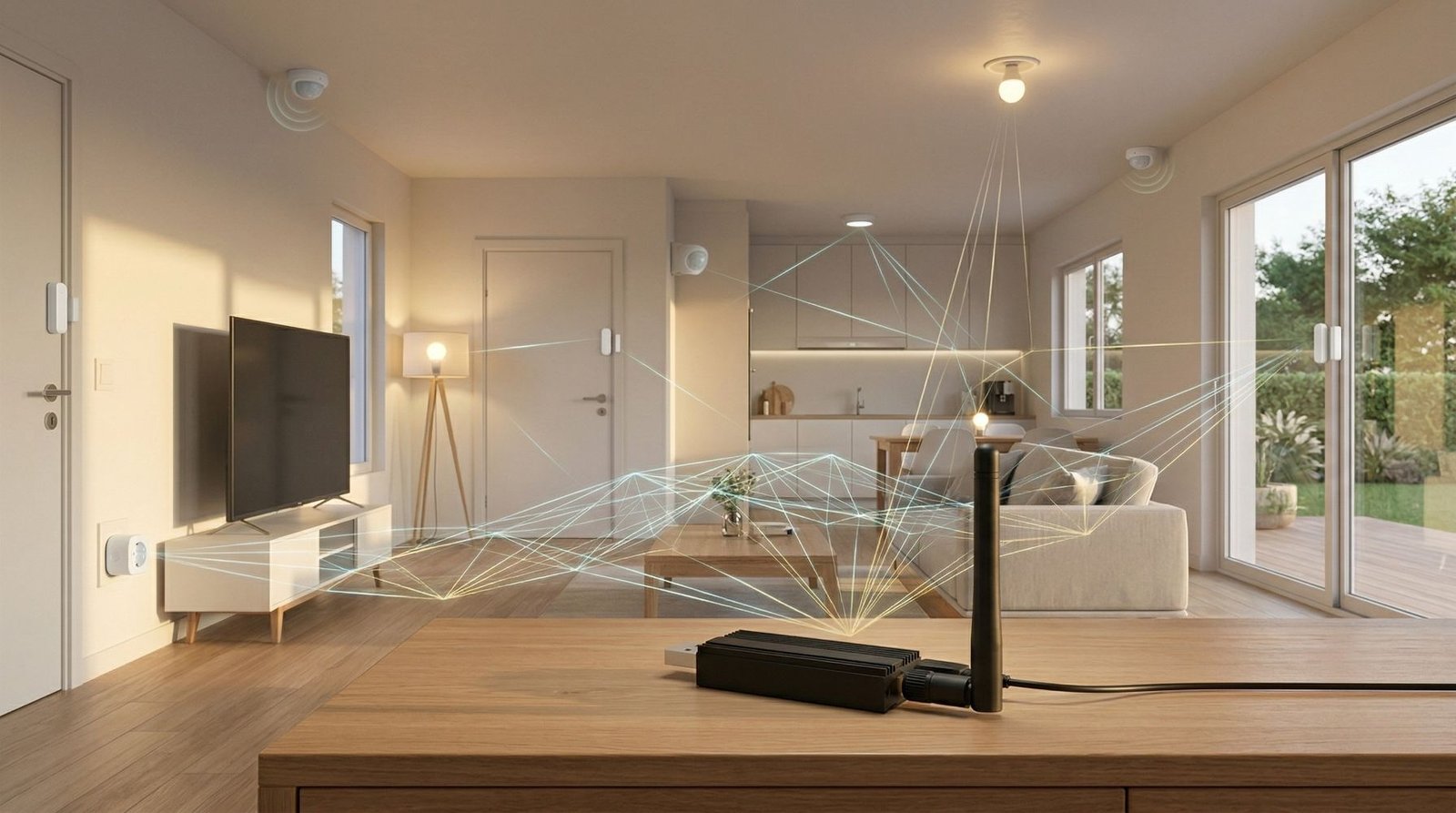
Radio adapters should also be placed on a USB extension cable rather than being connected directly beside the computer. This moves the radio away from electrical interference produced by the mini PC and its USB ports.
Ethernet speed matters less for a dedicated installation. Gigabit Ethernet is already far faster than Home Assistant needs.
A 2.5GbE port is a useful extra, particularly for backups and other server workloads, but it should not be the main reason you choose one machine over another.
Four 2.5GbE ports only become useful when the machine is also acting as a router, firewall or virtualisation host.
Dedicated Home Assistant OS or Proxmox?
For most people buying a machine solely for Home Assistant, I would install Home Assistant OS directly.
It is the simplest arrangement. Home Assistant manages the operating system, updates, backups and add-ons, and there is no additional virtualisation layer to troubleshoot.
Use Proxmox when you have a clear plan for the rest of the machine.
That could include:
- Pi-hole or AdGuard Home
- A Docker host
- Network monitoring
- A media server
- A test Home Assistant instance
- Other Linux virtual machines
- A router or firewall VM
Proxmox gives you flexibility, snapshots and separation between services, but it also adds complexity. USB radio passthrough, storage allocation, networking and backups all require more thought.
There is nothing wrong with starting with dedicated HAOS. You can move to Proxmox later if your requirements change.
Can you run Home Assistant and Frigate together?
Yes, but Frigate changes the hardware calculation.
The number of cameras, their resolutions, recording settings, detector type and hardware acceleration all affect performance. A small Home Assistant installation and a multi-camera Frigate server are very different workloads.
Frigate’s documentation says it runs best using Docker on a bare-metal Debian-based system, where it can access the GPU and Coral hardware with minimal overhead. Virtual-machine installations can work, but they are not Frigate’s preferred arrangement.
For one or two modest cameras, a capable mini PC may run both services without a problem. For a larger camera system, I would plan the Frigate hardware separately rather than choosing a Home Assistant mini PC and assuming it will handle everything.
Mini PC vs Raspberry Pi
A Raspberry Pi can still be a good Home Assistant server.
If you already own one, particularly with a suitable SSD, there may be no reason to replace it. Home Assistant does not suddenly become better simply because it is running on x86 hardware.
A mini PC becomes attractive when buying everything from scratch.
Once you add a Raspberry Pi, case, power supply, SSD and storage adapter, the price can get surprisingly close to a complete N100 mini PC. The mini PC will usually give you more USB ports, more memory, built-in SSD support and additional processing headroom.
I would choose:
- Raspberry Pi: When you already own one or want the smallest supported setup
- Mini PC: When buying new and you want SSD storage and easier expansion
Mini PC vs refurbished office PC or thin client
A refurbished office PC can be one of the cheapest ways to run Home Assistant.
Machines such as used Lenovo Tiny, Dell Micro and HP Mini systems are widely available and often built better than inexpensive consumer mini PCs. They may also have replaceable memory, standard storage and more mature BIOS support.
The downsides are age, size and power consumption. A used machine may have an unknown history, a worn fan or an older power supply.
Thin clients can also work well, but some use unusual storage, soldered memory or processors that are much older than their appearance suggests.
Choose refurbished hardware when you are comfortable researching the exact model. Choose a new N100 or N150 mini PC when you want the easier route.
Mini PC vs a NAS installation
Running Home Assistant on a NAS can work well, particularly if the NAS already supports virtual machines or containers.
The downside is that Home Assistant becomes dependent on another device that may already be responsible for storage, media and backups. NAS updates, drive maintenance and reboots can also take your smart home offline.
USB radio access may be more awkward, especially when the NAS is installed away from the centre of the home.
I prefer a separate mini PC for Home Assistant because it keeps the smart-home system independent. A NAS is still a valid option when the hardware is reliable and you are comfortable managing the virtualisation or container setup.
Which mini PC should you buy?
Buy the GMKtec G3 Plus when you want the best overall combination of price, storage expansion and networking.
Buy the Beelink S12 Pro when you want the cheapest complete Home Assistant machine and do not care about having the newest processor.
Buy the Beelink Mini S13 when it costs about the same as the S12 Pro and you would prefer the newer N150.
Buy the CWWK when you want a silent Proxmox machine, multiple Ethernet ports or a small networking appliance.
Buy the MINIX Z300-0dB when complete silence and a better-built enclosure matter more than getting the lowest price.
Final verdict
For most Home Assistant installations, I would buy the GMKtec G3 Plus.
It is not the fastest machine in this list, but it has the features that are actually useful: an efficient processor, proper NVMe storage, an additional storage slot, 2.5GbE and enough memory capacity that it will not quickly become limiting.
The Beelink S12 Pro is still the better choice when the priority is spending as little as possible. Its Intel N100, 16 GB of memory and SSD storage are already enough for a very capable HAOS installation.
The CWWK and MINIX machines solve more specific problems. Choose the CWWK for networking and Proxmox. Choose the MINIX when the machine must be silent and you are prepared to pay more for the enclosure and additional processing power.
The easiest mistake is buying a mini PC based on the most impressive processor name. Home Assistant does not need that.
Buy the machine with the right storage, ports and installation type for the job you actually plan to give it.
Frequently asked questions
What is the best mini PC for Home Assistant?
The GMKtec G3 Plus is my overall pick. Its Intel N150 processor, 2.5GbE connection and two internal storage positions provide a good combination of price and expansion without moving into expensive home-server hardware.
Is an Intel N100 powerful enough for Home Assistant?
Yes. An Intel N100 is easily powerful enough for a dedicated Home Assistant OS installation, including normal add-ons and USB radio hardware.
A faster processor becomes useful when the same machine will also run virtual machines, camera processing or other server applications.
Is the Intel N150 much better than the N100?
No. The N150 is newer and slightly faster, but it is not a major upgrade for Home Assistant.
When choosing between them, compare the price, memory, SSD, Ethernet and USB ports of the complete mini PC.
How much RAM should a Home Assistant mini PC have?
I would buy at least 8 GB. A 16 GB model is preferable when the price difference is small and gives you more room for add-ons or future virtualisation.
A dedicated HAOS installation rarely needs 32 GB.
How much SSD storage does Home Assistant need?
A 128 GB SSD can be enough, but 256 GB or 500 GB is a better target when buying a new machine. Larger capacities provide more space for backups, database history and add-ons.
Is a mini PC better than a Raspberry Pi for Home Assistant?
A mini PC usually provides easier SSD storage, more USB ports, more memory and additional processing headroom.
A Raspberry Pi remains a good choice when you already own one or want a compact officially supported system.
Should I install Home Assistant OS or Proxmox?
Install Home Assistant OS directly when the machine will only run Home Assistant.
Choose Proxmox when you have specific additional services to run and are comfortable managing virtual machines, storage, networking and USB passthrough.
Can I connect a Zigbee dongle to a mini PC?
Yes. Zigbee coordinators work well with mini PCs.
Use a USB extension cable to move the coordinator away from the computer and other USB devices. This can reduce radio interference and often improves reliability.
Do I need 2.5GbE for Home Assistant?
No. Gigabit Ethernet is already more than enough for a dedicated Home Assistant server.
A 2.5GbE connection is useful when the machine will also handle large backups, file transfers or other self-hosted applications.
Can Home Assistant and Frigate run on the same mini PC?
They can, but the required hardware depends on the number of cameras, video resolution, recording settings and hardware acceleration.
For a larger Frigate installation, select the hardware around Frigate’s requirements rather than assuming any basic Home Assistant mini PC will be sufficient.
Some of the links in this post may be affiliate links. If you buy through them, I may earn a small commission at no extra cost to you.