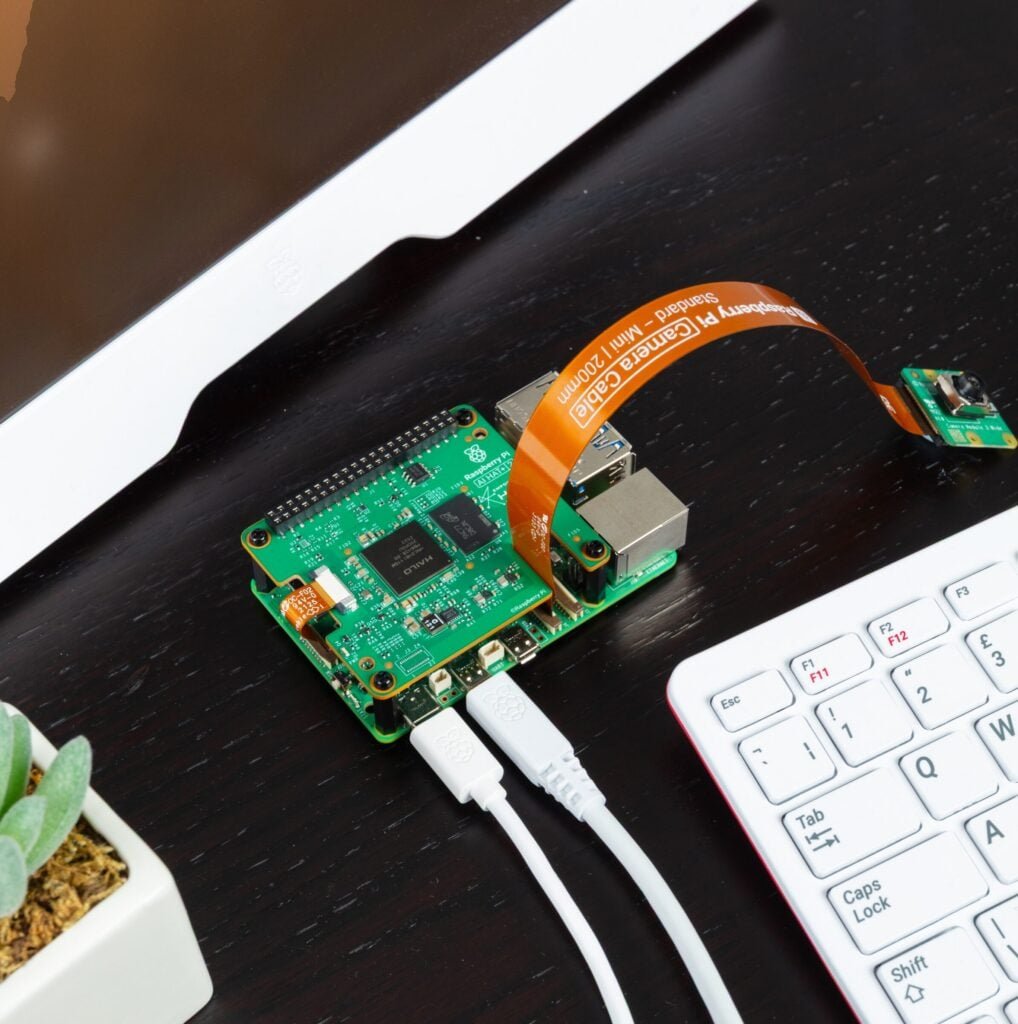
Raspberry Pi’s original AI add-ons (the AI Kit and AI HAT+) were built to accelerate computer vision workloads: object detection, pose estimation, segmentation, and similar “camera-first” models. The new Raspberry Pi AI HAT+ 2 is the first Raspberry Pi add-on aimed squarely at on-device generative AI on a Raspberry Pi 5.
It adds a Hailo-10H neural accelerator plus 8GB of dedicated on-board RAM, connected over PCIe to the Raspberry Pi 5. The extra RAM and updated accelerator architecture are what make small LLMs and vision-language models (VLMs) practical on a Pi 5 without punishing the CPU or swapping to storage.
Some of the links in this post may be affiliate links. If you buy through them, I may earn a small commission at no extra cost to you.
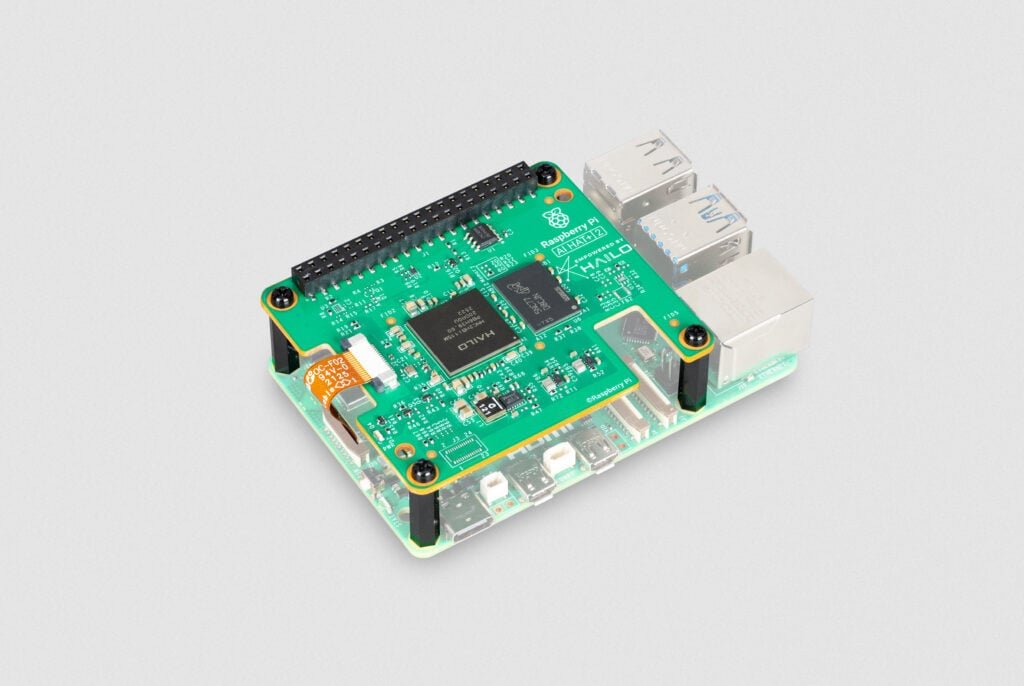
What the Raspberry Pi AI HAT+ 2 actually is (hardware overview)
The core components
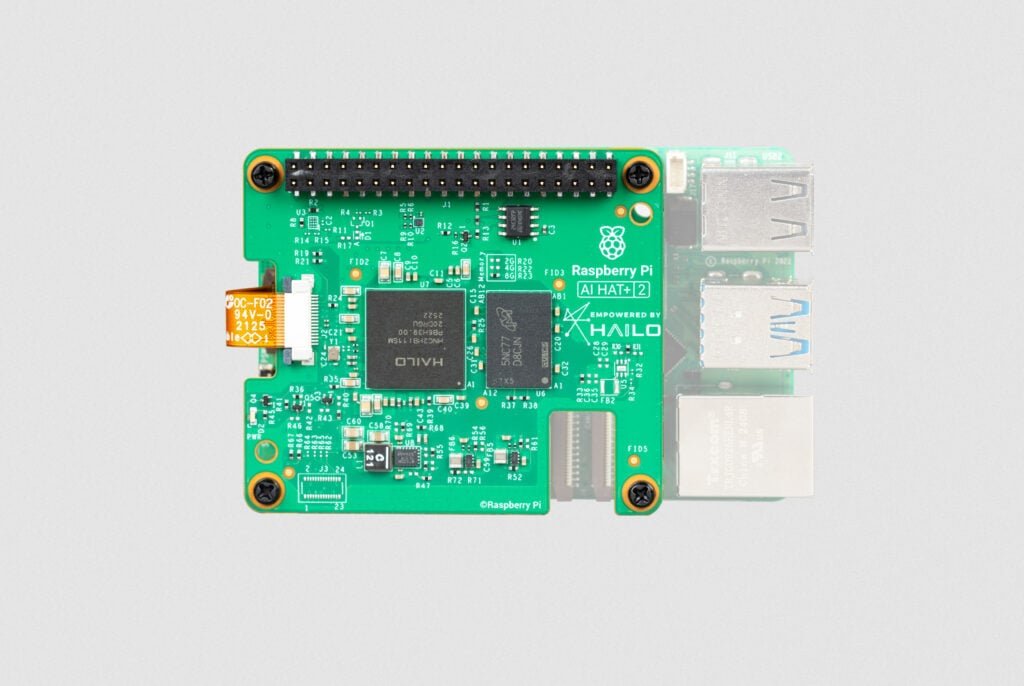
The AI HAT+ 2 includes:
- Hailo-10H AI accelerator
- 8GB LPDDR4X (on the HAT, separate from the Pi’s system RAM)
- PCIe interface (Raspberry Pi 5 only) via the Pi 5’s PCIe FFC connector and a ribbon cable
- Mounting hardware (spacers/screws/stacking header) and an optional heatsink for the HAT itself
Raspberry Pi positions it as a way to offload AI inference so the Pi’s CPU can keep doing “normal computer” tasks, while the HAT handles the model execution.
Raspberry Pi AI HAT+ 2
A Raspberry Pi 5 add-on board for local AI workloads, with a Hailo AI accelerator and onboard memory for running supported models at the edge.
Performance claims
Raspberry Pi states the AI HAT+ 2 delivers:
- 40 TOPS (INT4) and 20 TOPS (INT8) inference performance
Two important caveats:
- TOPS is a useful marketing shorthand, but real-world speed depends on model architecture, quantisation, how well it maps to the accelerator, and the surrounding software pipeline.
- INT4 performance is great for many edge LLM/VLM approaches, but supported models are curated and compiled for the Hailo runtime rather than “run anything that fits in RAM.”
Power and thermals
Hailo markets the 10H as an edge accelerator with ~2.5W typical consumption (module-dependent and workload-dependent).
Raspberry Pi’s own documentation recommends cooling on both sides:
- Active Cooler on the Pi 5 (recommended)
- The AI HAT+ 2 heatsink (recommended, especially for heavier workloads)
Compatibility: what it works with (and what it doesn’t)
Raspberry Pi 5 only
The AI HAT+ 2 connects via the Raspberry Pi 5 PCIe port, so it’s Pi 5 only.
OS requirements
Raspberry Pi’s install guide calls out:
- Raspberry Pi OS (64-bit) “Trixie” with the latest updates
- Updated EEPROM/firmware recommended before installing
The big change vs the original AI HAT+: on-board RAM for GenAI
The original AI HAT+ came in 13 TOPS (Hailo-8L) and 26 TOPS (Hailo-8) variants, and it’s primarily positioned for vision pipelines (camera → model → results).
The AI HAT+ 2 keeps strong vision capability, but the headline change is 8GB of on-board RAM so it can run LLMs and VLMs more effectively.
Raspberry Pi also notes that for many vision models, AI HAT+ 2 performance is broadly equivalent to the 26-TOPS AI HAT+ (because the RAM helps keep the pipeline fed).
Which models are supported at launch?
Raspberry Pi listed the following LLMs available to install at launch (with sizes):
- DeepSeek-R1-Distill (1.5B)
- Llama 3.2 (1B)
- Qwen2.5-Coder (1.5B)
- Qwen2.5-Instruct (1.5B)
- Qwen2 (1.5B)
They also state more (and larger) models are being prepared for updates soon after launch.
A practical expectation-setter from Raspberry Pi: the edge models that fit and run well here are typically much smaller than cloud LLMs, and are meant to be fine-tuned for specific tasks rather than “know everything.”
How the software stack works
The software stack is split between the existing vision pipeline and a separate path for local LLMs:
1) Vision AI (camera pipelines)
AI HATs are “fully integrated” into the Raspberry Pi camera stack (libcamera / rpicam-apps / Picamera2), so common vision demos and camera-first workflows feel familiar if you’ve used the earlier AI HAT+.
2) LLMs on AI HAT+ 2 (GenAI path)
For LLMs, Raspberry Pi’s docs describe a layered setup:
- Hardware layer: Pi 5 + AI HAT+ 2 (Hailo-10H)
- Drivers/runtime: Hailo software dependencies
- Model layer: Hailo GenAI Model Zoo
- Backend: hailo-ollama server exposing a local REST API
- Frontend (optional): Open WebUI (runs in Docker)
Two details worth calling out:
- The docs explicitly use a local hailo-ollama server and show how to list, pull, and query models via HTTP endpoints.
- Open WebUI is optional. Raspberry Pi recommends running it in Docker, because Open WebUI is not currently compatible with the system Python (Python 3.13) shipped with Raspberry Pi OS ‘Trixie’.
Installation (hardware)
If you’ve installed any Pi 5 PCIe accessory (NVMe HAT, etc.), this will feel similar.
What you’ll do
- Update your Pi (OS packages + EEPROM/firmware) before installing the HAT.
- Fit the Pi 5 Active Cooler (recommended).
- Fit the AI HAT+ 2 heatsink (recommended). The pads should align with the Hailo NPU and SDRAM.
- Mount spacers and the stacking header, then connect the PCIe ribbon cable to the Pi 5 and HAT.
Raspberry Pi’s AI HAT documentation walks through these steps and includes photos/diagrams if you want a visual reference while you build.
What can you do with it?
Here are realistic “Pi 5 + AI HAT+ 2” projects that fit the device’s strengths:
Local translation and summarisation (offline)
Because inference is local, you can build:
- On-device translation for captions/subtitles
- Private summarisation of local documents
- Simple chat-style assistants for narrow topics (especially if you fine-tune)
Coding helper for constrained tasks
Raspberry Pi specifically demos coder-oriented models (Qwen2.5-Coder) doing coding tasks locally. That’s useful if you want:
- A local “explain this code” tool
- Snippet generation for known libraries
- A helper inside a dev workflow that doesn’t send code to cloud services
Vision-language: “what’s in this camera scene?”
One of the demo categories is a VLM describing a camera stream (text description + question answering). That opens up:
- Accessibility descriptions
- Basic “is a person present?” triggers
- Scene summaries for logging/monitoring
Classic vision AI still applies
Even though the AI HAT+ 2 is positioned for GenAI, it’s still designed to run common vision models and it inherits the Raspberry Pi camera integration approach from the earlier AI HAT+ line.
AI HAT+ 2 vs AI HAT+ vs the old AI Kit
AI HAT+ 2
- Best fit when you want on-device GenAI with curated models and a Raspberry Pi-supported stack
- Hailo-10H + 8GB on-board RAM is the key enabler
AI HAT+ (13 TOPS / 26 TOPS)
- Best fit when you primarily want vision acceleration (object detection, segmentation, etc.)
- Hailo-8L (13 TOPS) or Hailo-8 (26 TOPS) variants
Raspberry Pi AI Kit (older bundle)
- Based on Hailo-8L (13 TOPS) on an M.2 HAT+
- Raspberry Pi notes new customers should instead buy AI HAT+.
Limitations and Gotchas
1) Model flexibility is not the same as a desktop PC
This is not “install any GGUF and go.” The sweet spot is:
- Hailo-supported models from their GenAI Model Zoo
- Fine-tuning workflows that stay within the supported toolchain
2) Don’t expect cloud-LLM capability
Raspberry Pi explicitly frames these models as smaller (often 1–7B parameters on-device in this class), built for constrained datasets and task-specific use.
3) Performance trade-offs vs “just buy a bigger Pi”
Some reviewers note that depending on the task, a Pi 5 with more RAM can be more flexible and sometimes faster for certain models, and they discuss power limits and workload profiles.
That doesn’t make the HAT pointless, it just means the best use cases are the ones where:
- You want accelerated inference per watt
- You want local/offline
- You want a supported pipeline that doesn’t consume the CPU
Buying notes
- Raspberry Pi lists the AI HAT+ 2 at $130.
- Raspberry Pi also states it will remain in production until at least January 2036 (useful if you’re designing something you want to reproduce for years).
Is it worth it?
You’ll likely get value from the AI HAT+ 2 if you want at least one of these:
- Run small LLMs locally for translation, summarisation, or a narrow assistant
- Run VLM-style camera analysis without relying on cloud services
- Keep the Pi 5 CPU free while you do AI inference in parallel
- Build something you can deploy long-term with a stable hardware SKU
You may be better off with a standard AI HAT+ (13/26 TOPS) if:
- Your use case is mostly real-time vision inference and you don’t care about LLMs/VLMs