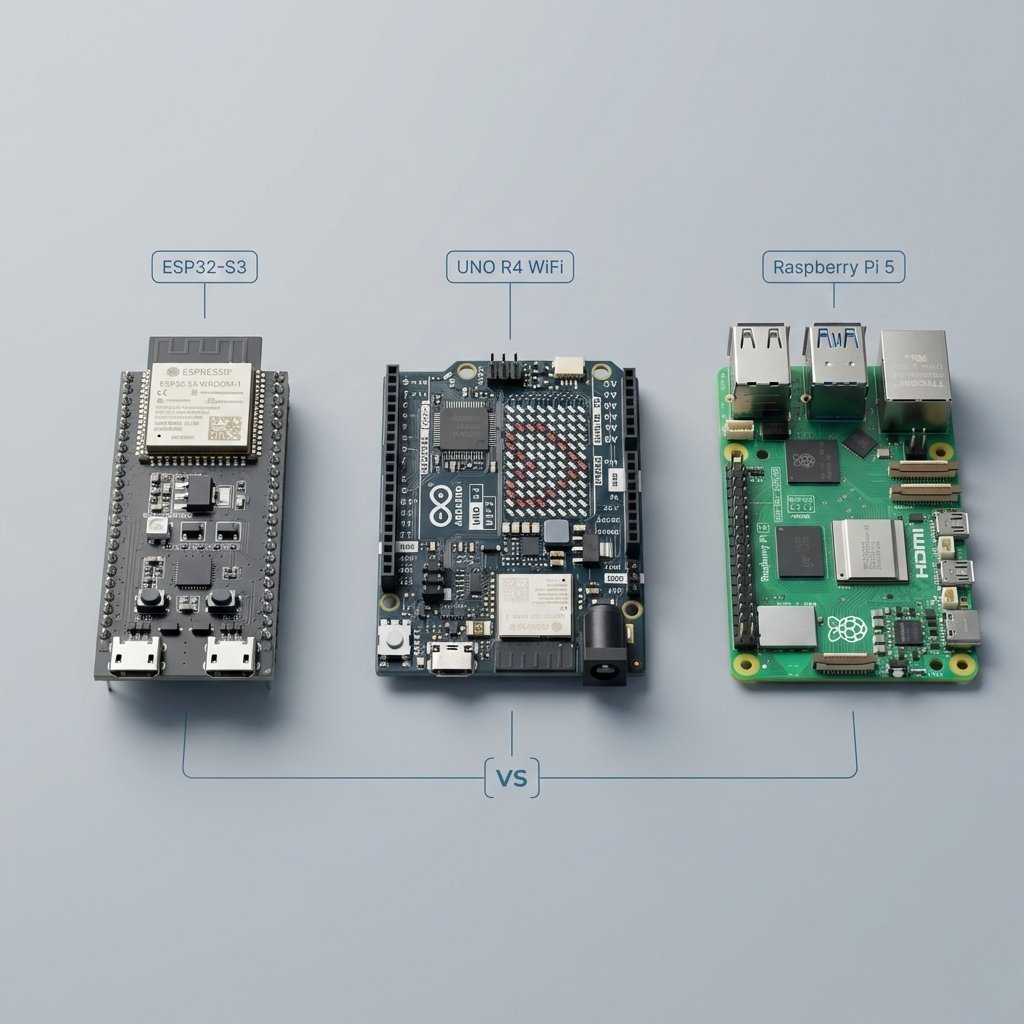
If you’re new to DIY electronics, it’s easy to lump ESP32, Arduino and Raspberry Pi together. They can all sit on a workbench with sensors and wires hanging off them, but they suit quite different jobs.
The short version is:
- ESP32 is a good fit for connected embedded projects where Wi-Fi or Bluetooth is part of the job.
- Arduino is a straightforward microcontroller platform for learning, sensors, motors and control projects.
- Raspberry Pi is a small Linux computer for servers, Home Assistant, Docker and software that needs a full operating system.
Arduino is a platform and board ecosystem, while ESP32 is a family of microcontrollers used on many different boards. ESP32 boards can also be programmed with the Arduino framework, so this is not a clean platform-versus-platform comparison.
To keep this practical, here are three boards people commonly compare. If you already know you want an ESP32, my beginner’s guide to ESP32 covers the family, while the ESP32-C5 vs C6 vs S3 comparison is the better place to start if you are choosing between newer chips.
- ESP32-S3 DevKit (ESP32 family)
- Arduino UNO R4 WiFi (Arduino family)
- Raspberry Pi 5 (Raspberry Pi family)
ESP32 vs Arduino vs Raspberry Pi: Quick Comparison
| Category | ESP32-S3 DevKit | Arduino UNO R4 WiFi | Raspberry Pi 5 |
|---|---|---|---|
| What it is | Microcontroller board | Microcontroller board plus wireless module | Linux computer on a board |
| Runs an operating system | No general-purpose OS | No general-purpose OS | Yes (Linux) |
| Wireless | Built in Wi-Fi + Bluetooth LE | Wi-Fi + Bluetooth via ESP32-S3 module | Dual-band 802.11ac Wi-Fi + Bluetooth 5.0/BLE |
| Programming and workflow | Arduino framework, ESP-IDF, ESPHome and other embedded tools | Arduino IDE and the wider Arduino ecosystem | Linux software, Python, shell tools, services and containers |
| Real-time GPIO and control | Strong fit for direct sensor, relay and motor control | Strong fit for direct sensor, relay and motor control | Capable GPIO, but Linux is not a real-time control environment by default |
| Typical power style | Can be very low with sleep/wake patterns | Low power, classic embedded style | Higher draw, designed for stable power |
| Overall cost and complexity | Low | Low to medium | Higher once power, storage and cooling are included |
| Best at | IoT devices, smart home nodes, battery sensors | Learning embedded, Arduino ecosystem, UNO form factor | Home Assistant, servers, apps, Docker, heavier workloads |
| Common gotcha | More options, more ways to do the same thing | Two “brains” (main MCU plus wireless MCU) | It’s a real computer: updates, storage, shutdown habits |
ESP32 vs Arduino
If you are choosing only between ESP32 and Arduino, the ESP32 usually makes more sense when Wi-Fi, Bluetooth, more processing headroom or connected smart-home use is central to the project. Arduino is still attractive when you want the simplest learning path, the UNO form factor, a huge beginner ecosystem and straightforward sensor or motor control.
The important detail is that this is not a clean platform-versus-platform split. Many ESP32 boards can be programmed with the Arduino framework, so choosing ESP32 does not mean giving up Arduino-style development.
ESP32 vs Raspberry Pi
Choose ESP32 when the project is a dedicated device: a sensor, relay controller, display, BLE gadget or low-power node that needs to start quickly and do one embedded job reliably. Choose Raspberry Pi when the project needs Linux, local storage, databases, Docker, Home Assistant or several software services running at the same time.
They also work well together. A Raspberry Pi can act as the always-on hub or server while ESP32 nodes handle sensors and control around the house.
Arduino vs Raspberry Pi
Arduino and Raspberry Pi solve different problems. Arduino is the better fit for direct hardware control, fast startup and predictable embedded behaviour. Raspberry Pi is the better fit when you need a full operating system and normal computer software.
If the project is mainly reading sensors, driving outputs or controlling motors, start with Arduino. If it sounds more like a small server, desktop or automation hub, start with Raspberry Pi.
The key concept: microcontroller vs computer
Microcontroller (ESP32, Arduino)
A microcontroller typically runs dedicated firmware directly on the device rather than a general-purpose operating system like Linux. That firmware can still handle multiple tasks, but the system is built around one embedded application.
That makes microcontrollers well suited to firmware that:
- starts quickly and runs reliably
- reads sensors and controls pins (GPIO)
- does one job very well
- can save power using low-power modes
If you want a device that wakes up, reads something, sends it, and goes back to sleep, microcontrollers are built for that. ESP32-S3, for example, is described as a low-power SoC that supports 2.4 GHz Wi-Fi and Bluetooth LE.
Single-board computer (Raspberry Pi)
A Raspberry Pi is designed to run Linux and behave like a small computer:
- multiple programs can run at once
- you can install software packages and services
- it can host dashboards, databases, and automations
- it’s great as an always-on hub
Raspberry Pi 5’s product brief lists a quad-core Cortex-A76 at 2.4GHz and explicitly frames it as a full-size computer platform with modern I/O.
A quick rule of thumb:
- If it sounds like “a gadget” you build and forget, that’s usually a microcontroller.
- If it sounds like “a box that runs software”, that’s usually a Raspberry Pi.
ESP32-S3 DevKit
What it is
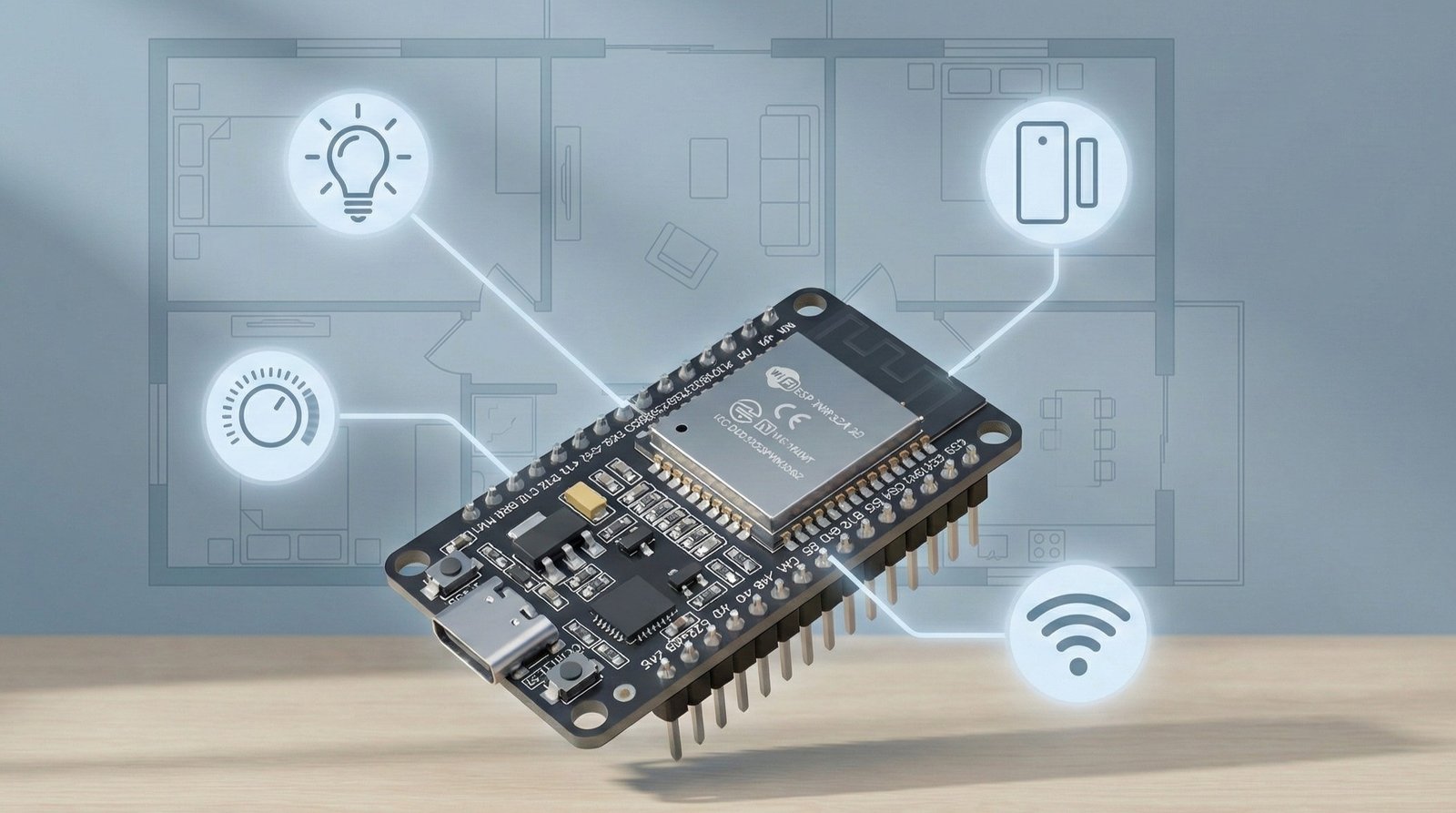
ESP32-S3 is a Wi-Fi and Bluetooth LE capable microcontroller. Espressif’s datasheet describes it as a dual-core Xtensa LX7 based SoC with 2.4 GHz Wi-Fi and Bluetooth LE.
You’ll often see the CPU speed mentioned (up to 240 MHz). That’s real, but it’s best treated as a rough indicator, not a “this is X times better” comparison. Different chips can have very different performance per MHz. The more useful takeaway is: it has enough headroom to handle networking, encryption, and typical IoT workloads comfortably for a microcontroller.

What it’s best for
ESP32-S3 is a strong choice when you care about any of these:
- Wi-Fi devices (sensors, relays, meters)
- Bluetooth LE projects
- smart home nodes that talk to your network
- low power designs that use sleep modes
The datasheet also highlights multiple low-power modes and a low-power coprocessor, which is exactly the kind of feature set that makes sense for battery devices.
What to know before buying
“ESP32-S3 DevKit” isn’t one single board. Different sellers ship different versions with different memory and layouts. If you’re planning to run heavier features like a web dashboard or encrypted connections, it’s worth checking the exact specs in the listing (flash size and whether it includes PSRAM) before you buy.
Arduino UNO R4 WiFi
What it is (and the “does it include an ESP32?” question)
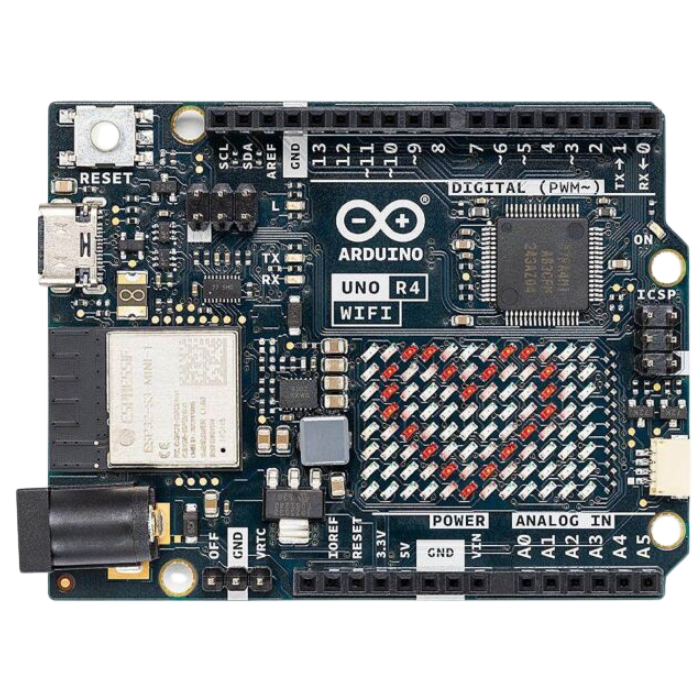
Yes. The UNO R4 WiFi has:
- a Renesas RA4M1 microcontroller as the main CPU you use for typical Arduino sketches
- an ESP32-S3 module used for Wi-Fi and Bluetooth connectivity
Arduino’s datasheet spells out the basics: RA4M1 is a 48 MHz Arm Cortex-M4, with 256 kB flash and 32 kB SRAM, and the board includes an ESP32-S3 module for wireless plus a built-in 12×8 LED matrix.
A simple way to think about it:
- The UNO R4 WiFi is an Arduino-style microcontroller board first.
- The ESP32-S3 is a built-in wireless helper, and it can also be accessed separately.
Why beginners often like it
If you want the classic Arduino learning path, UNO boards are still one of the simplest on-ramps:
- plenty of tutorials
- predictable “write sketch, upload, it runs” workflow
- lots of compatible accessories and shields
The UNO R4 WiFi keeps that feel, but it’s also a modern 32-bit UNO.
The one gotcha to understand (voltages)
The UNO R4 WiFi is a bit unusual because it has two “worlds” on the same board:
- The main UNO side is 5V
- The onboard ESP32-S3 wireless module is 3.3V
That matters because mixing 5V signals into 3.3V pins can damage hardware. Arduino specifically warns that the ESP32-S3 pins are not 5V tolerant, so you should not directly connect the 5V UNO-side pins to the ESP32-S3 pins.
If you are only using the board like a normal UNO (sensors, shields, typical Arduino libraries), you can ignore this most of the time. It mainly matters if you start using the ESP32-S3 side directly or wiring signals between the two sides.
Raspberry Pi 5
What it is
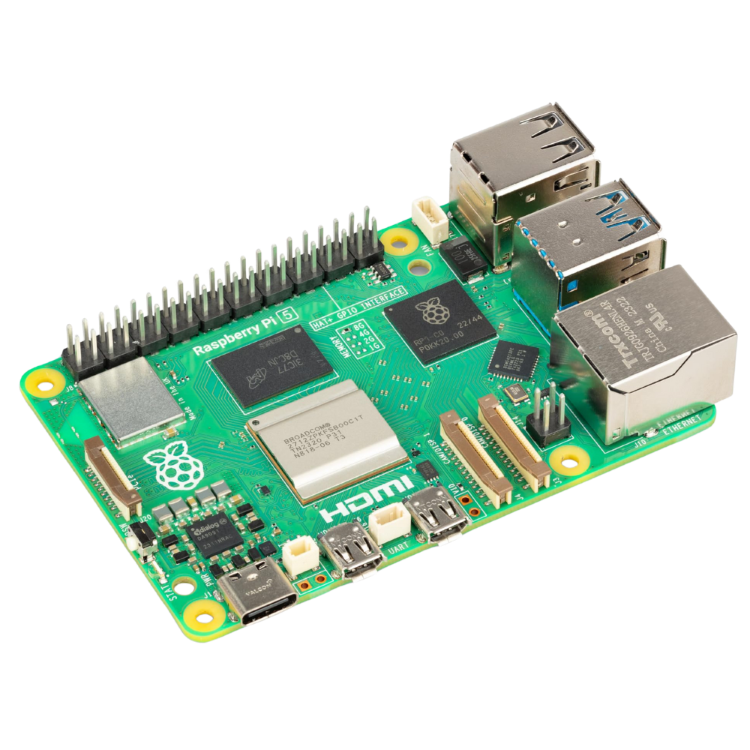
Raspberry Pi 5 is a Linux-capable single-board computer. In the official product brief, Raspberry Pi 5 is specified as:
- Broadcom BCM2712 quad-core 64-bit Arm Cortex-A76 at 2.4GHz
- dual-band 802.11ac Wi-Fi
- Bluetooth 5.0 / BLE
- PCIe 2.0 x1 interface
- 5V/5A power via USB-C with Power Delivery support
That set of features is the giveaway: this is a board meant to act like a computer, not like a small sensor node.
What it’s best for
Raspberry Pi 5 makes sense when the project sounds like any of the following:
- “I want to run Home Assistant”
- “I want to run Docker containers”
- “I want a dashboard, database, and automations running all the time”
- “I want a small server to host services”
It’s also a good choice when you want a lot of I/O and bandwidth options compared to typical microcontrollers.
The tradeoffs (for beginners)
A Pi is flexible, but it comes with “computer responsibilities”:
- stable power matters (the product brief calls out 5V/5A over USB-C with PD)
- storage quality matters
- you’ll deal with updates and OS maintenance
None of that is “bad”, it’s just not the same experience as a microcontroller.
How to choose
Choose ESP32-S3 DevKit if
- wireless is core to your project (Wi-Fi or BLE)
- you want a dedicated device that does one job
- you care about low power options (sleep modes)
Choose Arduino UNO R4 WiFi if
- you want the classic Arduino learning curve
- you like the UNO ecosystem and accessories
- you want Wi-Fi/Bluetooth available, but you still want the Arduino-style workflow
Choose Raspberry Pi 5 if
- you want Linux and real software installs
- you want multiple services running at once (Home Assistant, MQTT, Zigbee2MQTT, dashboards)
- your project is more “home server” than “sensor node”
A quick decision checklist
If you say “yes” to any of these, Raspberry Pi is usually the right category:
- Do I need Linux apps or Docker?
- Do I want to run multiple services at the same time?
- Do I need local storage, databases, or logs?
If you say “yes” to any of these, a microcontroller is usually the right category:
- Do I need to read sensors or control GPIO reliably?
- Do I want quick startup and simple behaviour?
- Do I want battery-friendly power options?
Common misconceptions
“A Raspberry Pi can replace an Arduino”
Sometimes, but it’s often the wrong direction. Pis are great as a hub. Microcontrollers are great as the endpoints (sensors, relays, buttons).
“ESP32 is just an Arduino with Wi-Fi”
ESP32 can be programmed using Arduino-style tools, but it’s an IoT-first platform with built-in wireless and a bigger feature set.
“UNO R4 WiFi is basically an ESP32”
It includes an ESP32-S3 module, but the main Arduino brain is the RA4M1. Think “Arduino board with built-in wireless”, not “ESP32 board in disguise”.
Which board should you buy for your project?
If you just want a simple shopping list, here are three bundles depending on what you’re trying to build.
If you want a Wi-Fi smart home sensor node
- ESP32-S3 DevKit
- Breadboard + jumper wire kit
- Basic sensor kit (temperature/humidity, light sensor, motion sensor)
This is the “small connected device” path. It’s ideal when you want a sensor or controller that talks to your network.
If you want the easiest learning curve
- Arduino UNO R4 WiFi
- UNO-compatible beginner electronics kit (breadboard, wires, resistors, LEDs, basic sensors)
This is the most beginner-friendly route if you want to learn the basics first and still have wireless available on the board.
If you want a Home Assistant or “always-on” home server
- Raspberry Pi 5
- Reliable USB-C Power Delivery power supply (Raspberry Pi recommends 5 V / 5 A for full power and higher-current peripherals)
- Case + cooling
- Storage you trust (start with a good microSD card, or a more robust option if you already know you’ll log a lot of data)
This is the “runs software and services 24/7” path. It’s the right pick when you want Linux and multiple things running at once.
Final takeaway
Most of the time, this isn’t a three-way fight. It’s a “what kind of computer do I actually need?” decision.
- If you’re building a device that reads sensors, controls relays, switches lights, or needs to run on low power, start with a microcontroller: ESP32-S3 or Arduino UNO R4 WiFi.
- If you’re building a box that runs software (Home Assistant, Docker, dashboards, databases, multiple services), start with a Raspberry Pi 5.
Once you pick the right category, choosing the exact board gets way easier. If you want an all-in-one learning bundle rather than buying the board and components separately, my electronics starter kit guide compares the current beginner options.
Some of the links in this post may be affiliate links. If you buy through them, I may earn a small commission at no extra cost to you.